The tab row is the title bar
Before, a Term window had two rows at the top: the system's title bar, and Term's own tabs under it. Now there is one. Your tabs sit right next to the minimise, maximise and close buttons, and the space they used to share goes to the terminal.
Everything you expect from a title bar still works:
- Drag the empty space after your tabs to move the window.
- Double-click it to maximise the window, and again to bring it back.
- The tab row's buttons match the window buttons beside them. A light highlight shows under your mouse, and a tab shows its ✕ when you point at it.
Fold the host list, take the whole window
The button at the far left folds the host list away. The terminal then fills the window from edge to edge — the room you want for a coding agent, a log and a monitor side by side. Press it again to bring your hosts back.
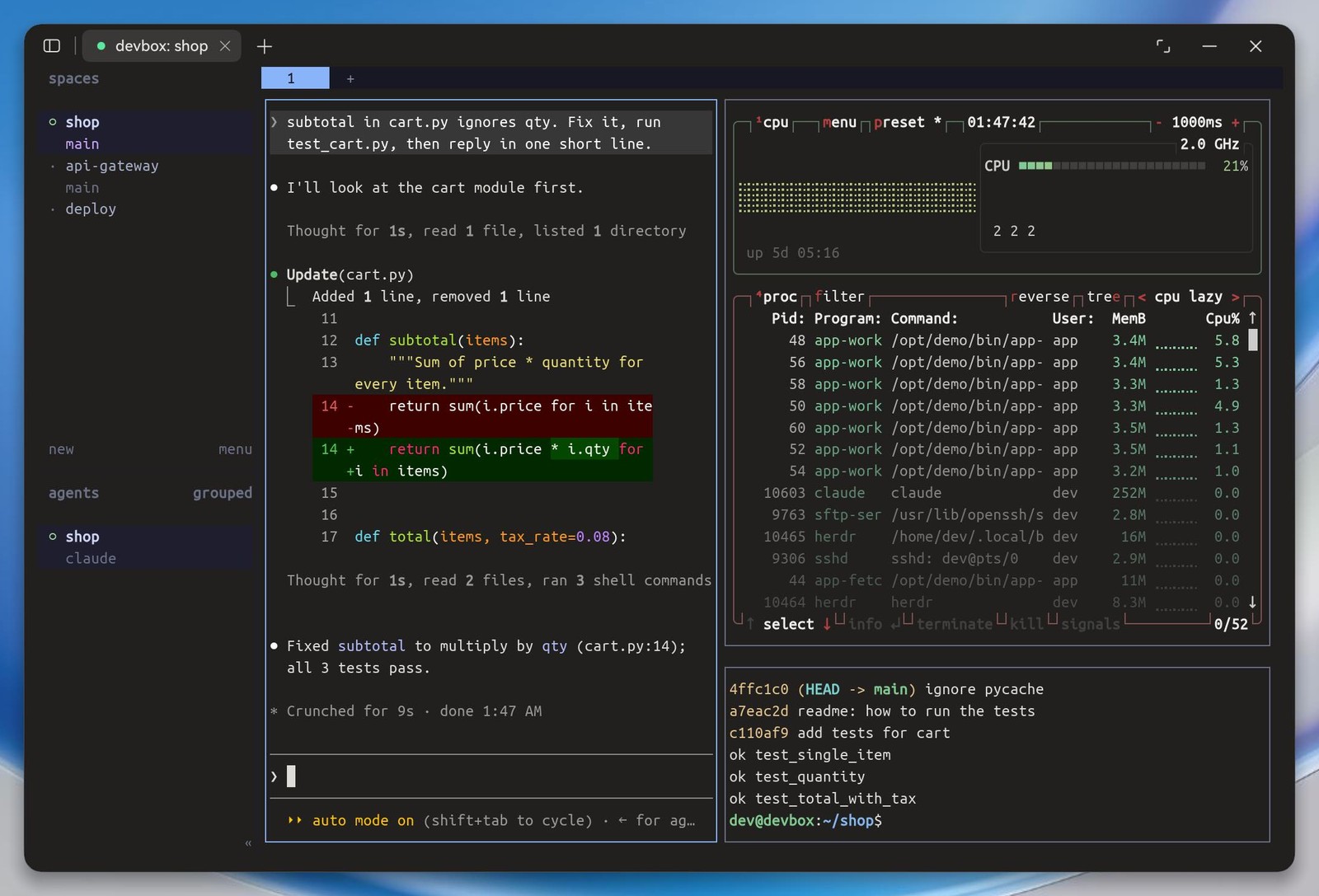
tmux panes stay where they belong
If you split tmux side by side, the pane that scrolls now scrolls on its own. A busy log on the left no longer drags the panes beside it along, so your git history and test results stay readable while the log keeps running.
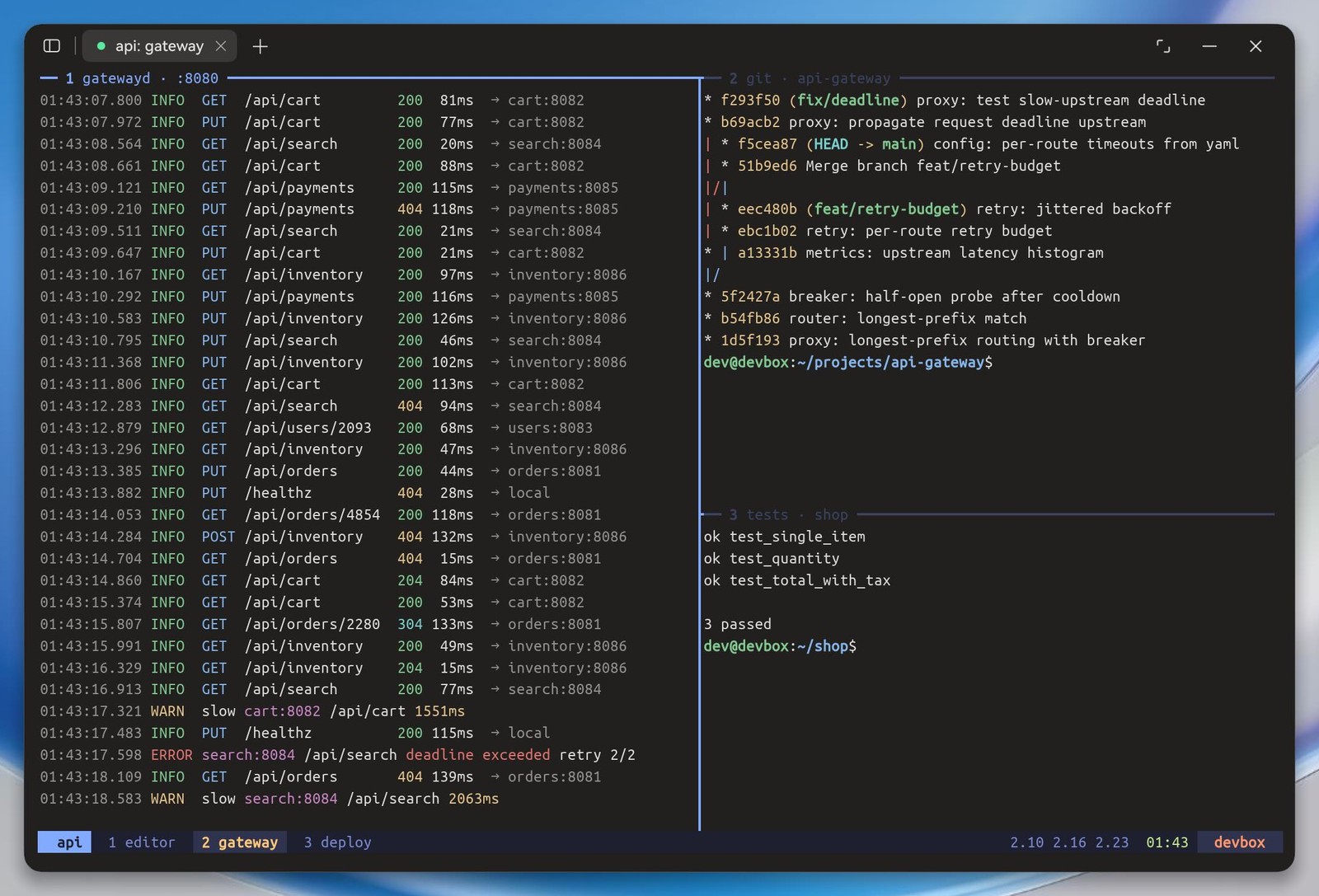
A window that keeps its layout
You can resize Term freely, but it stops before it gets so small that the host list and terminal can no longer sit side by side. That way it never suddenly turns into the phone layout under your mouse.
No keyboard button
A PC or 2-in-1 has its keyboard built in, so the button that shows the on-screen keyboard is gone. To switch between Chinese and English input, use the input method in the system tray, as in any other app.
Related: Term on PCs and 2-in-1s