Several windows, one connection
On a desktop you would open three terminal windows and put them side by side. On a phone you cannot: there is one screen, and it is small. The obvious workaround — more tabs in Term — has a catch, because every tab is another connection, and a connection is exactly the thing that goes away when the phone locks or you spend too long in another app.
tmux windows are the answer: one connection, one session, and as many windows inside it as you like. A build in one, a log tail in another, an editor in a third. Switching is one tap, and nothing you started stops when you move. ^Bc makes a window, ^Bn and ^Bp step between them, and ^Bw opens the list so you can pick. All three are on the bar above the keyboard — swipe it sideways to reach them.
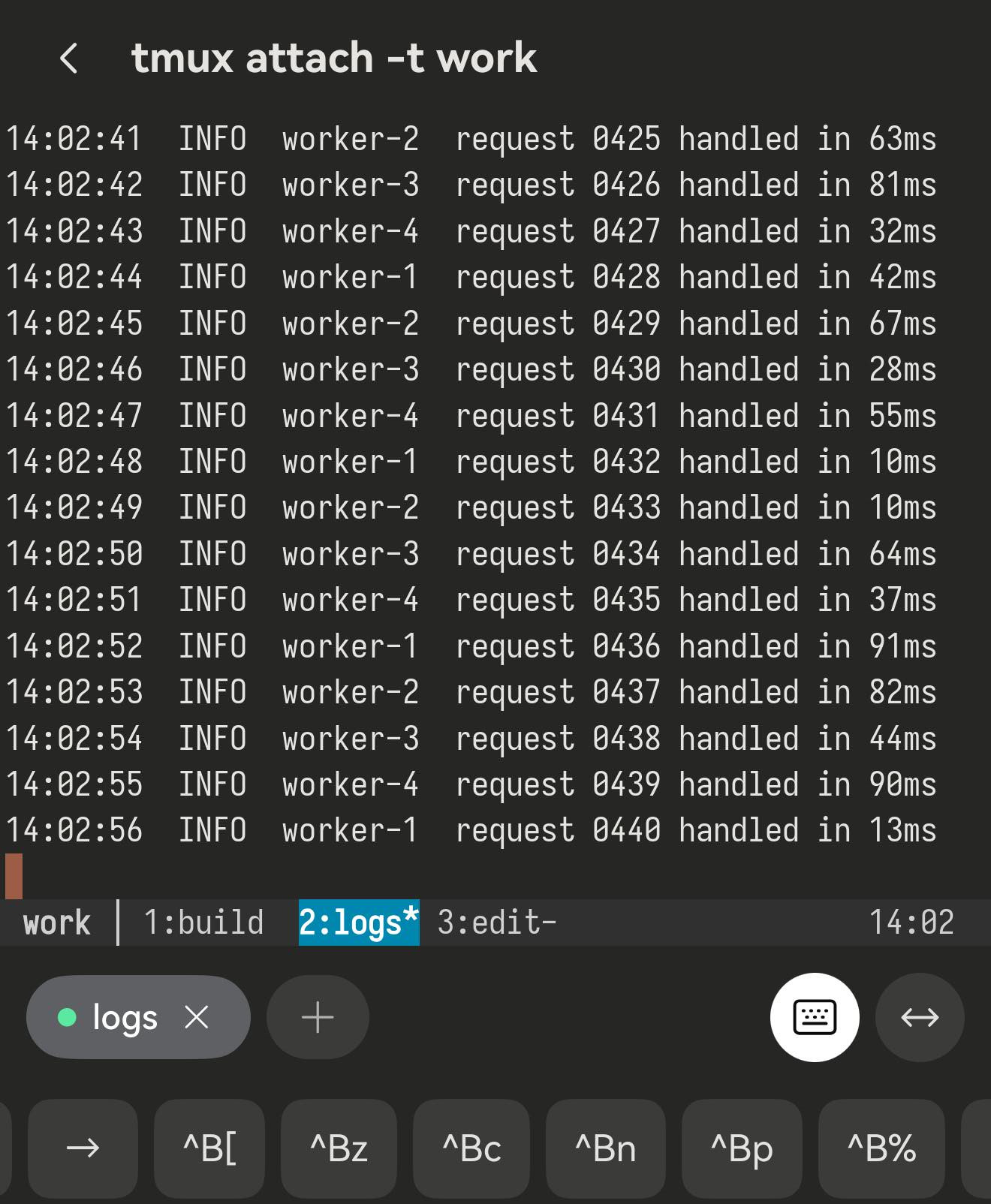
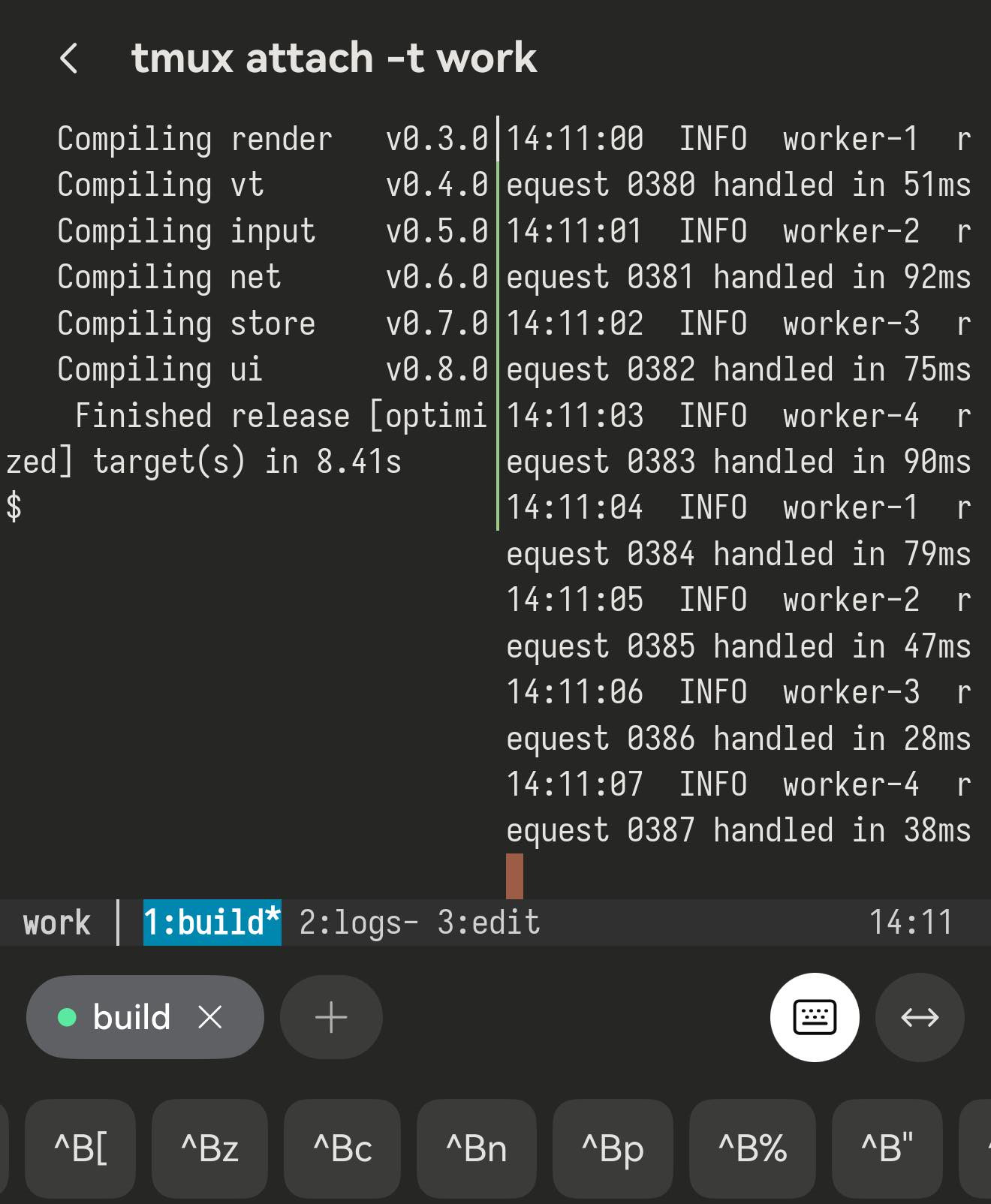
work is the session, then 1:build 2:logs 3:edit, with a * on the one you are looking at. The row under it is Term’s key bar, already switched to the tmux set.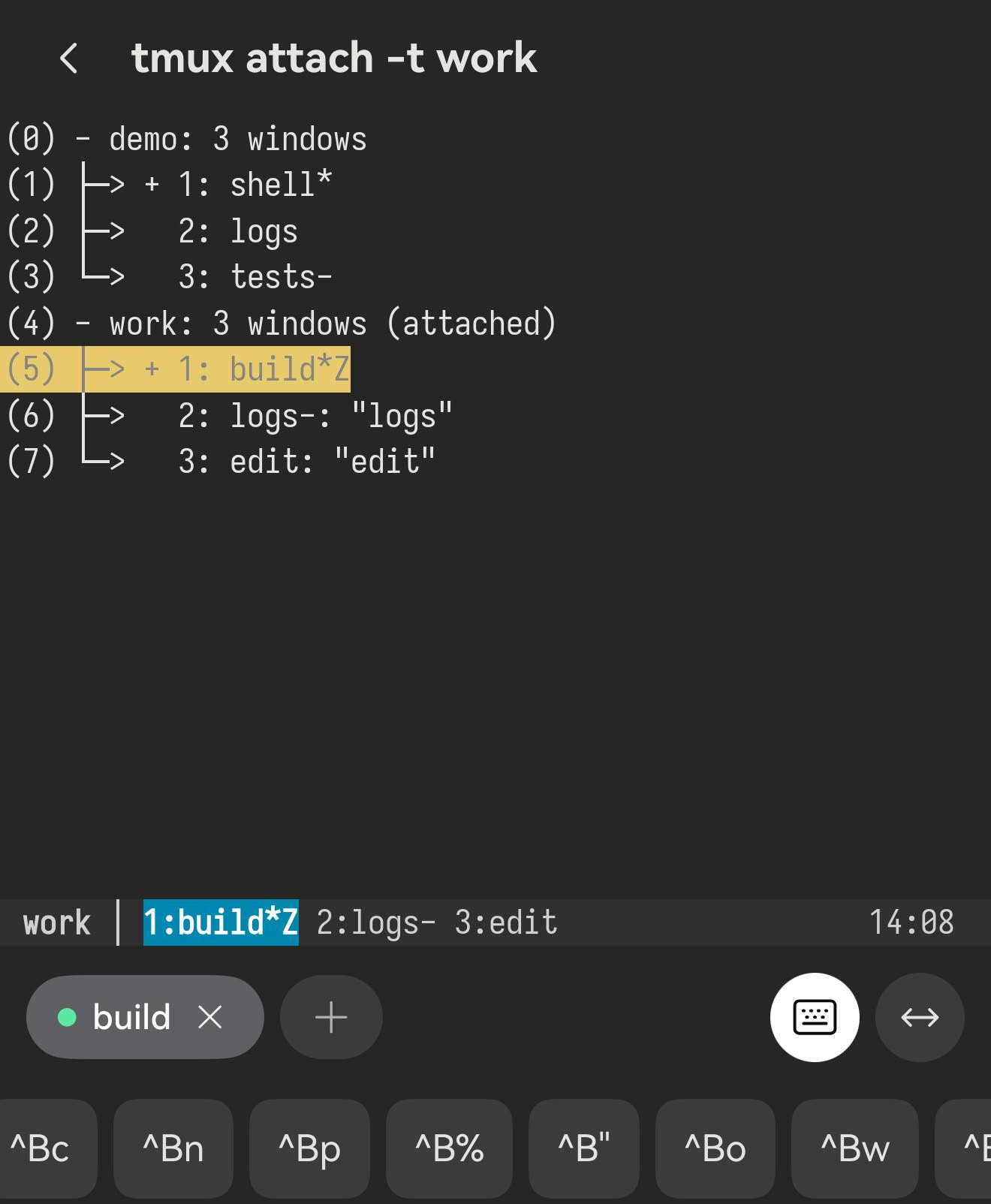
^Bw — the window list, for when you have more windows than you want to step through. Pick one and you are in it.The key bar changes by itself
You do not switch the tmux keys on. Term watches what is running in front of you and swaps the row above the keyboard to match: start tmux and it becomes a tmux row, leave tmux and it goes back. It knows because your shell tells it — that is the Shell integration switch in Settings, on by default. You can see the same information in the title bar, which reads tmux attach -t work while you are inside the session.
ctrlaltshifttab esc^B↑↓←→ ^B[^Bz^Bc^Bn^Bp ^B%^B"^Bo^Bw^Bd ^C^R The labels spell the keystroke on purpose. A key labelled | would look like it types a pipe, and it would not — it would split the pane. ^B% cannot be misread, and it teaches you the real binding, which is the same one on your desktop. A phone is where a lot of people meet tmux for the first time without a cheatsheet in reach, so the bar is the cheatsheet. For anything not on it, tap ctrl at the left end and then the letter: it arms the modifier for the next key you press, and alt and shift work the same way.
![One frame showing tmux printing “[detached (from session work)]” and, below it, the key bar back on the ordinary shell set.](/_astro/detach.CMWZbENX.jpg)
^Bd detaches, tmux prints [detached (from session work)] and the bar underneath has already gone back to the shell keys. Nothing was configured to make that happen.Splits, and why zoom matters more here
Splits divide the window you are in: ^B% puts the new pane beside the old one, ^B" puts it underneath. Then the phone gets in the way. Term gives you 56 columns at the default size, so a side-by-side split leaves 28 columns on the left and 27 on the right — and an ordinary log line or compiler message wraps twice before it gets anywhere.
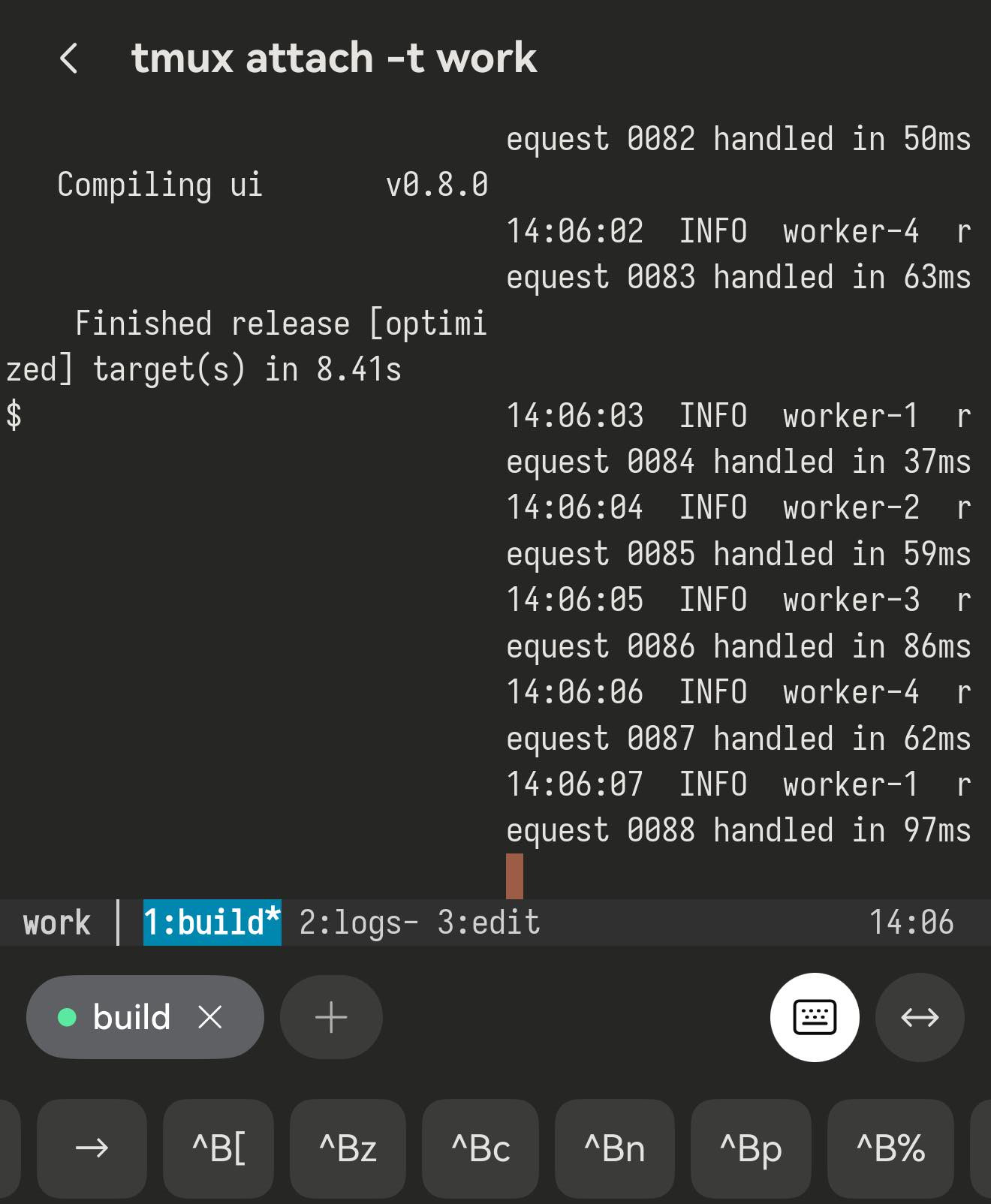
^Bz is the fix, and it earns its place on a phone in a way it never does on a desktop. It blows the pane you are in up to the whole window and leaves the layout alone — read what you came for, tap it again, and the split is exactly as it was. A workable pattern: use windows for things you switch between, and splits only when you genuinely need to watch two things at once, then keep one of them zoomed. ^Bo moves to the next pane, and ^B followed by an arrow moves in a direction.
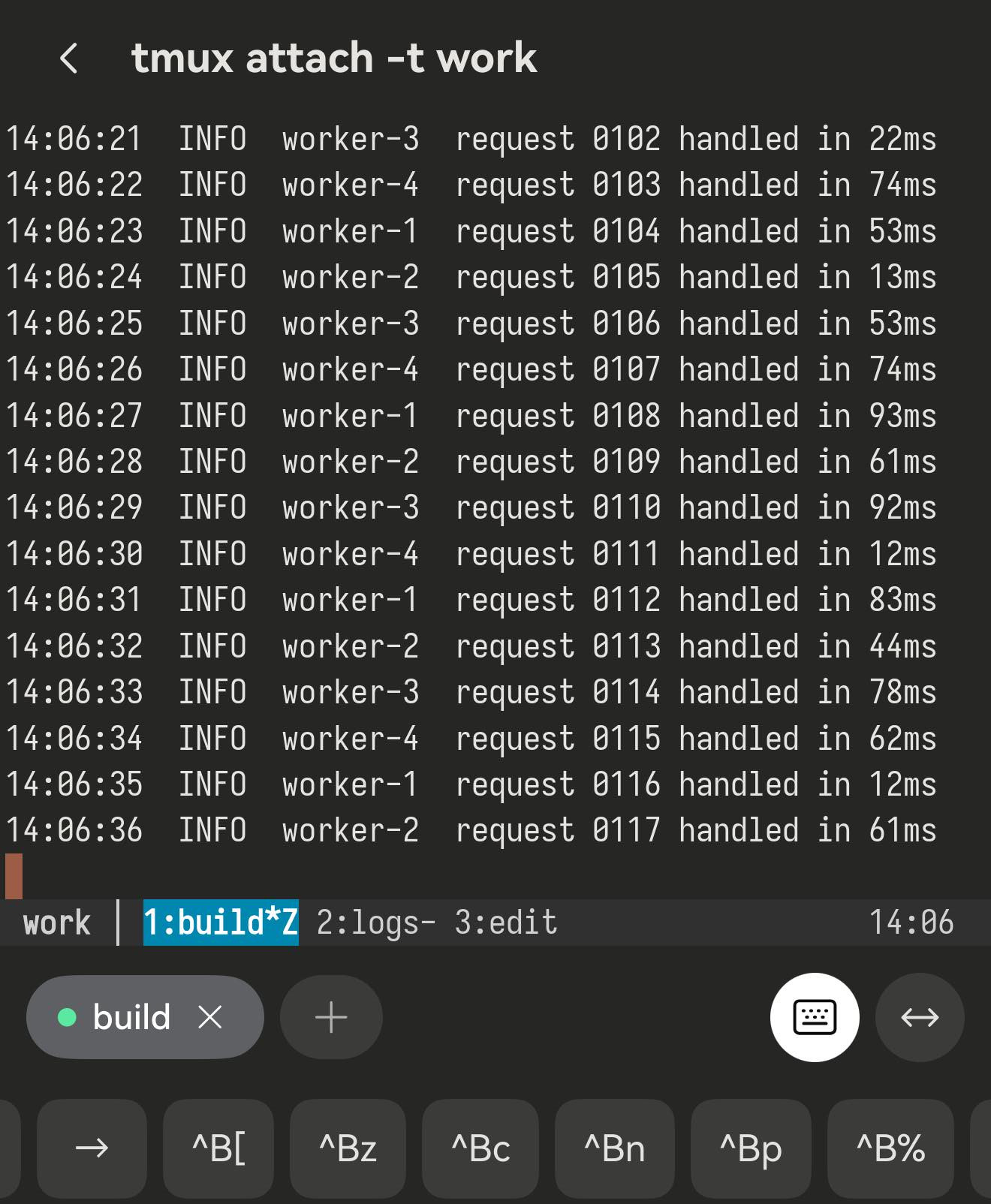
Z beside the window name is how you tell a zoomed pane from a window that only ever had one.Scrollback is copy mode
Inside tmux, dragging the screen does not scroll the terminal — tmux owns it. Its history lives in copy mode, and ^B[ is the way in; drag to scroll once you are there, or use the arrows on the bar. esc leaves.
This matters most over mosh, which sends the current screen rather than a stream of lines and so has no history for Term to scroll — mosh’s design, not a limit in the app. Run tmux inside it and copy mode is your scrollback, as deep as history-limit allows.
![A tmux session in copy mode, scrolled back, with the indicator [100/132] in the top-right corner.](/_astro/copy-mode.B0Nc4KEr.jpg)
[100/132] is a hundred lines back through a hundred-and-thirty-two-line history.Detach and reattach
^Bd detaches. Everything you had running stays running on the server — the build, the log tail, the editor with its unsaved buffer — and tmux attach -t work brings the whole thing back: same windows, same splits, same scroll position. If you would rather not remember whether the session exists yet, tmux new -A -s main attaches if it is there and creates it if it is not, which makes it a good one-line Startup script for a host.
This is what makes tmux worth the trouble on a phone specifically. Term holds a backgrounded session for about 90 seconds and then HarmonyOS suspends the app and the connection closes with it. With tmux on the far side that costs you nothing: you were detached, not stopped.
One thing to know about mosh
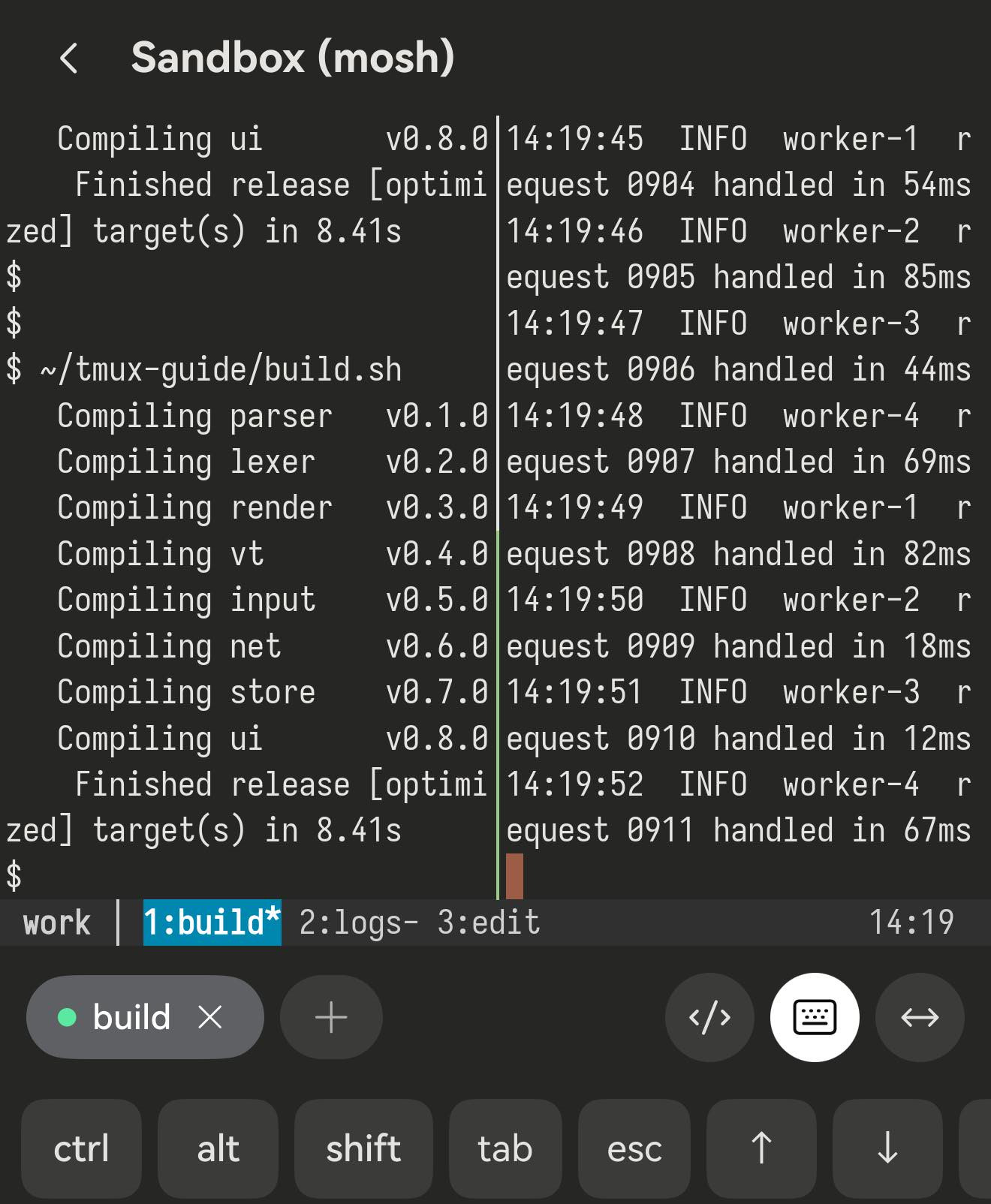
Over SSH, Term learns what is running from the command your shell reports. A mosh session does not report commands that way — so if you connect over mosh and then type tmux attach yourself, the session runs perfectly, but the key bar stays on the shell set. You still have ctrl, so ctrl then b then a letter works; it is just not one tap.
Let the host start tmux for you
Put tmux new -A -s main in the host’s Startup script. Term folds the startup script into what it knows about the session, so the tmux row is there from the first frame — and you land in a session that is already running rather than typing your way into one.
Or put the word in the title
Term also reads the terminal title, and it matches on the word tmux anywhere in it. The config below sets set-titles-string "#{pane_title}", which yields titles like build — no tmux to find. Change it to set-titles-string "tmux · #{pane_title}" and the tmux row comes back over mosh too, without touching the host.
The tmux.conf this app is tested against: The tmux config we use · FAQ — mosh + a multiplexer