A few weeks ago we wrote about reaching your home AI machine from your phone: no VPN, no tunnel app, no public IP. This is the first update on how it is going. It is still in progress and not something you can turn on yet, but most of the pieces now work every day on our own phones and machines.
Why it is hard
Your phone and your AI machine (say, a Mac mini, a Mac Studio or a DGX Spark) are rarely on the same network, and the machine sits behind a home router that never lets anyone in from outside:
[ your phone ]
      |
      |   "where is it?"
      v
[ home router ]   no public address
      X       no open port
      |       address may change
[ your AI machine ]
What works now
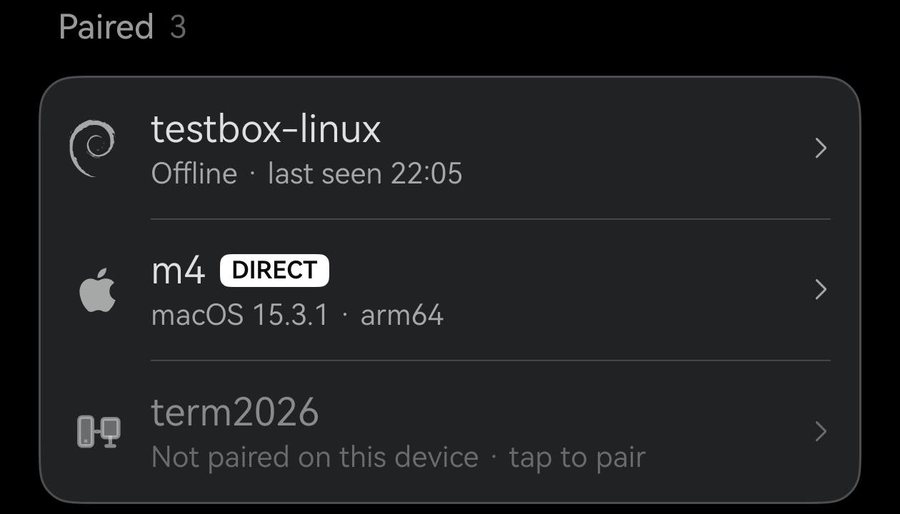
Pair once, then it is in your host list
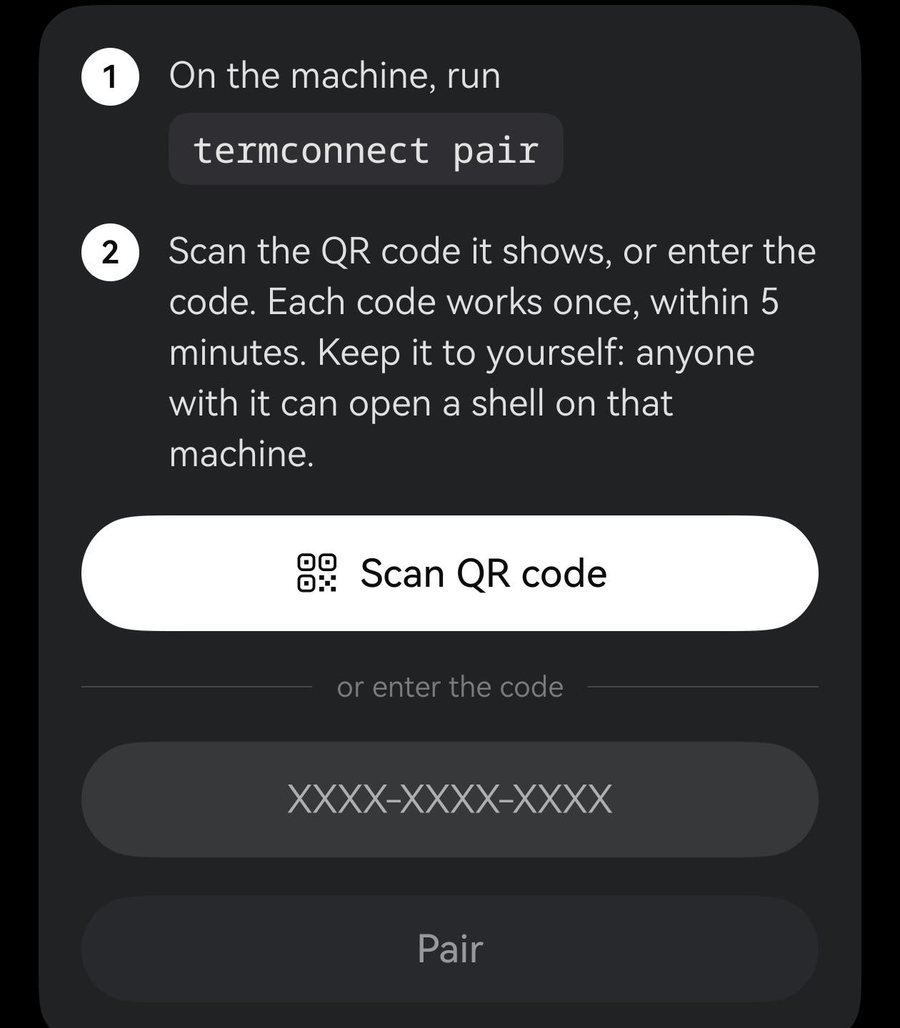
Run one command on the machine to show a pairing code, then scan it or type it in Term. From then on the machine sits at the top of your host list, with a badge that says how you are connected whenever it is online.
Direct when it can, a relay when it must
Term always tries to reach the machine directly. When the network will not allow it, an encrypted relay carries the session instead, and Term moves back to a direct route by itself as soon as one opens. The relay only passes sealed data along; it cannot read it.
  your phone                        your AI machine
  |                                   |
  +============= direct =============>+   most of the time
  |                                   |
  +----> [ relay ] ------------------>+   only if direct fails
  |   sealed: it can't read           |
In our testing so far, about seven in ten connections went direct and about a quarter used the relay. Connecting usually takes about a quarter of a second. Some home routers almost never allow a direct route; behind those, the relay is simply how you connect, and it still keeps your session.
Switch networks, keep your place
Walk out of Wi-Fi onto mobile data and back again, and the same session carries on: no reconnect button, no lost scrollback. A small note in the corner of the terminal shows when the route changes, such as "Relayed → Direct". Leave Term for a while and come back, and it picks up where you were.
Wi-Fi       -->  direct
Wi-Fi off   -->  relay, a second or two
Wi-Fi back  -->  direct again

same session the whole way
See how you are connected
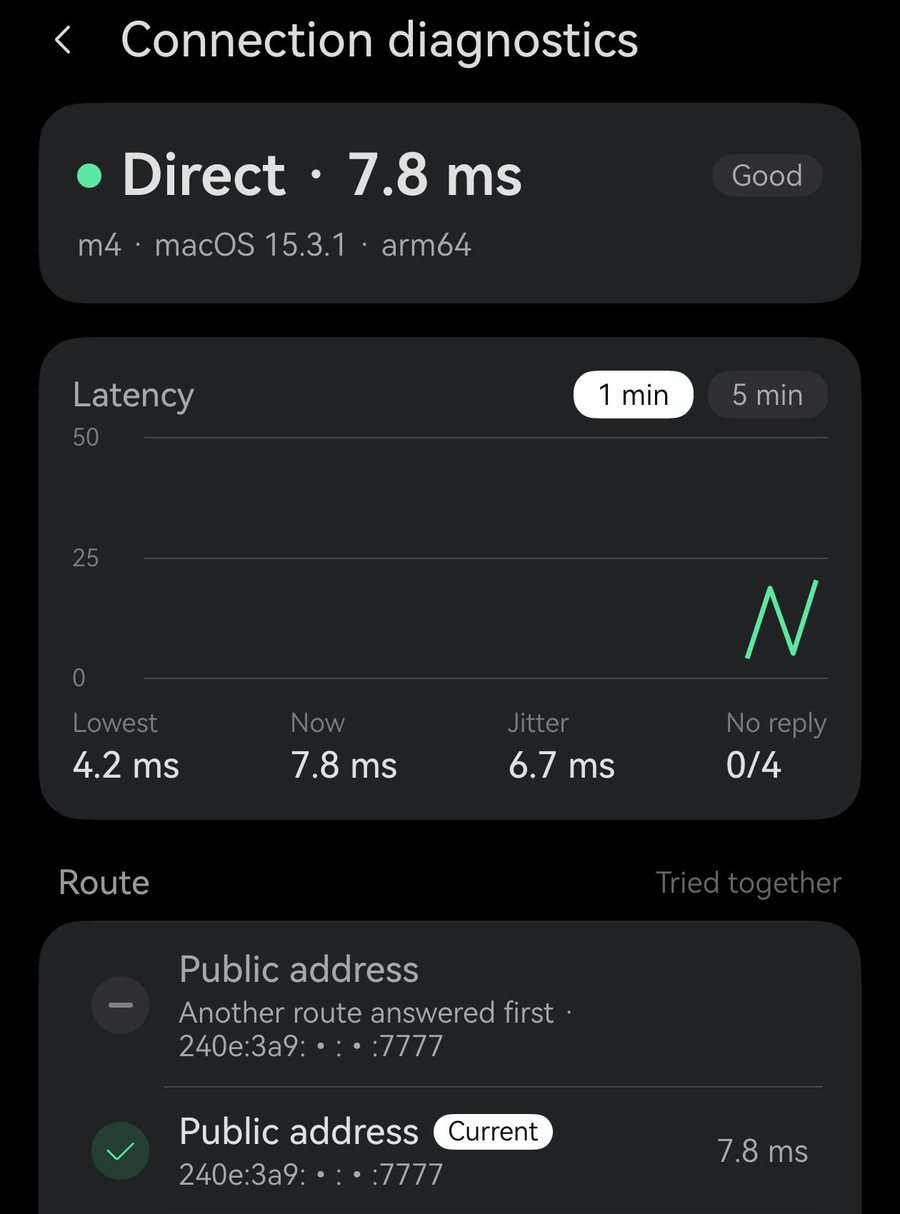
Long-press a machine for its connection details: whether you are direct or relayed, how fast it is, and which routes were tried, in plain words.
Why it feels smooth on a phone
It runs on the same engine as termosh, Term's own mosh server, so on a phone it behaves the same way:
- It sends the screen, not the history. Come back from a lift, a tunnel or a while in the background, and you see what the screen shows now, straight away, instead of waiting for minutes of missed output to scroll past.
- What you type appears at once, even on a slow link, instead of after each round trip to the machine.
- The session follows you from Wi-Fi to mobile data and back, without reconnecting.
- It stays light, so a weak mobile signal is still usable.
plain SSH  ->  line 1 > line 2 > ... > line 9000 > now
               you wait while everything replays

Term       ->  now
               the screen as it is, at once
Like mosh, it is a terminal and only a terminal, by design: there is no file transfer (SFTP) or port forwarding over it.
Still to come
- It is not available yet. It will be part of Term Pro, and we will invite some Pro users to try it before it opens.
- Linux and macOS only. Windows is not supported.
- Networks that block this kind of traffic entirely do not work yet.
- We are still smoothing the edges. Using it every day keeps turning up small things, mostly around moving between networks, and we fix them as they come.
Tell us how you work
If you run coding agents on your own machines, we would love to hear from you in Settings › Account › Feedback & suggestions, and to know if you would like to be among the first to try it.