An alpha feature
Agent input is new, and we are still learning how people use it. Its keys, its phrases and the way it looks may change from one version to the next — and if it does not prove useful, it may be removed. Tell us how it works for you in the app: Settings › Account › Feedback & suggestions.
Why a panel for agents
Most of what you say to a coding agent from a phone is short. Continue. Run the tests. Yes. And most of what you press is a key the phone keyboard does not have: Esc to stop it, the arrows to pick from a menu, Tab or Shift+Tab to switch its mode.
Opening the keyboard for that covers half the screen — the half where the agent is showing you what it did. Agent input puts those replies and keys on one small round panel instead. The keyboard stays closed, and the agent's work stays in view.
It works with Claude Code, Codex, opencode and other agents that run in a terminal.
Turn it on
- Open Settings › Terminal.
- Turn on Volume keys.
- Tap Volume Up (or Volume Down) and choose Agent input.
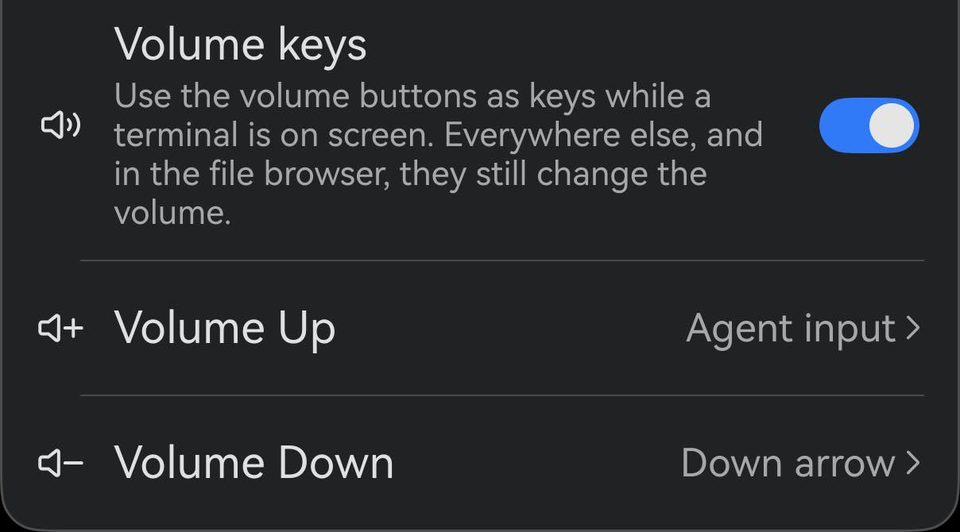
Agent input is part of Term Pro. Without it, the volume key shows what the panel does and the way to Term Pro.
The panel
Press the volume key and the panel opens over the terminal, where you last left it:
| Key | What it does |
|---|---|
| ↑ Send | Presses Enter — sends what is typed, to the shell or to the agent. |
| 💬 Phrases | Opens your quick phrases. |
| ▦ Keys | Opens the agent's keys. |
| ⌫ Delete | Deletes one character. |
| Esc | Stops the agent, or closes the menu it opened. |
| ⌨ Keyboard | Opens the keyboard, for when you do want to type. |
| ✕ Close | Closes the panel. |
On phones and tablets whose region is set to mainland China, the middle of the panel is a microphone — speak your prompt, the same as voice input. Send then moves to the top, and ↶ Undo, which takes back the last phrase you said, sits where Esc was; Esc is still one tap away among the agent's keys. The pictures on this page come from such a phone, so they show the microphone.
Drag the panel by any key to wherever it is least in the way. It takes its colours from your terminal theme, light or dark.
Quick phrases
Tap 💬 and your phrases rise beside the panel. Tap a phrase to send it — it is typed and sent in one go. Hold a phrase to type it without sending, so you can add to it first.
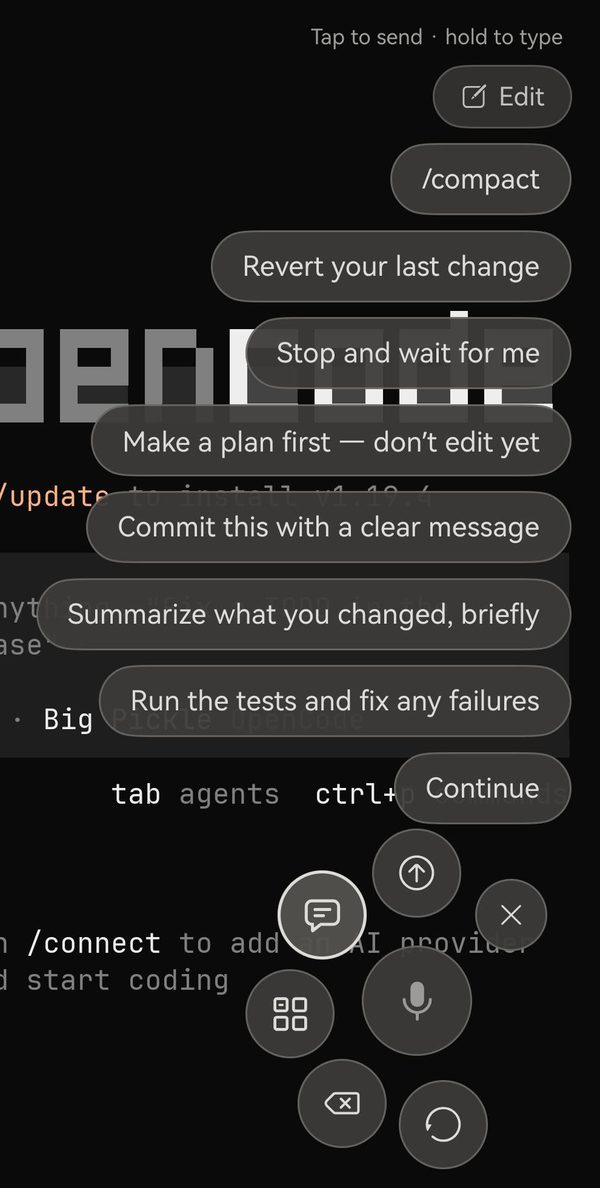
The phrases you start with are the everyday ones:
- Continue — keep going.
- Run the tests and fix any failures — the loop you would otherwise watch.
- Summarize what you changed, briefly — a summary reads well on a phone; a long diff does not.
- Commit this with a clear message — finish a task from your phone.
- Make a plan first — don't edit yet — steer before the agent starts.
- Stop and wait for me — a gentler stop than Esc: it finishes its sentence, then waits.
- Revert your last change — take back what it just did.
- /compact — frees up room in a long session. Claude Code, Codex and opencode all understand it.
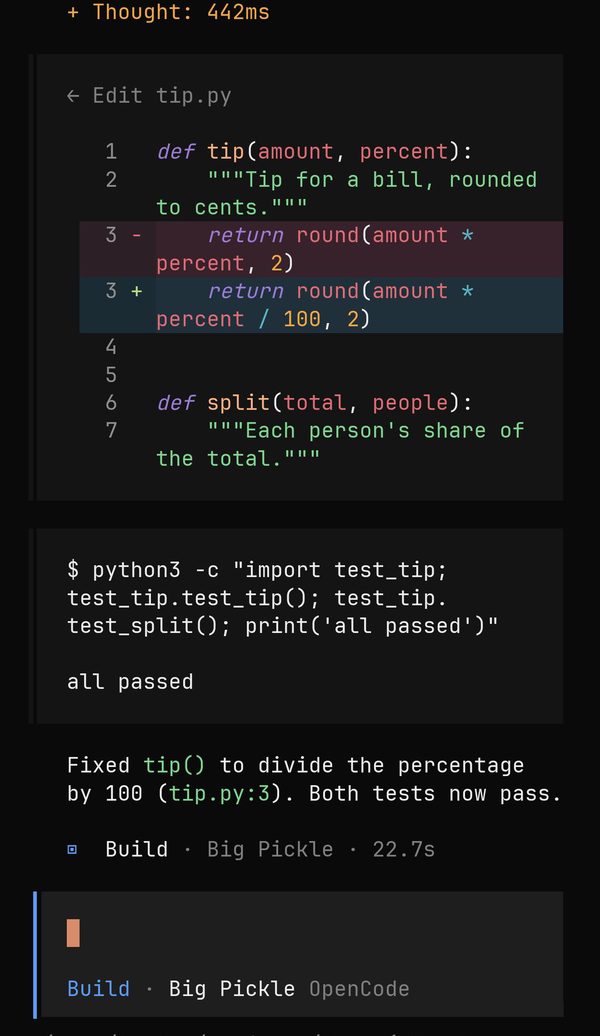
Make them yours
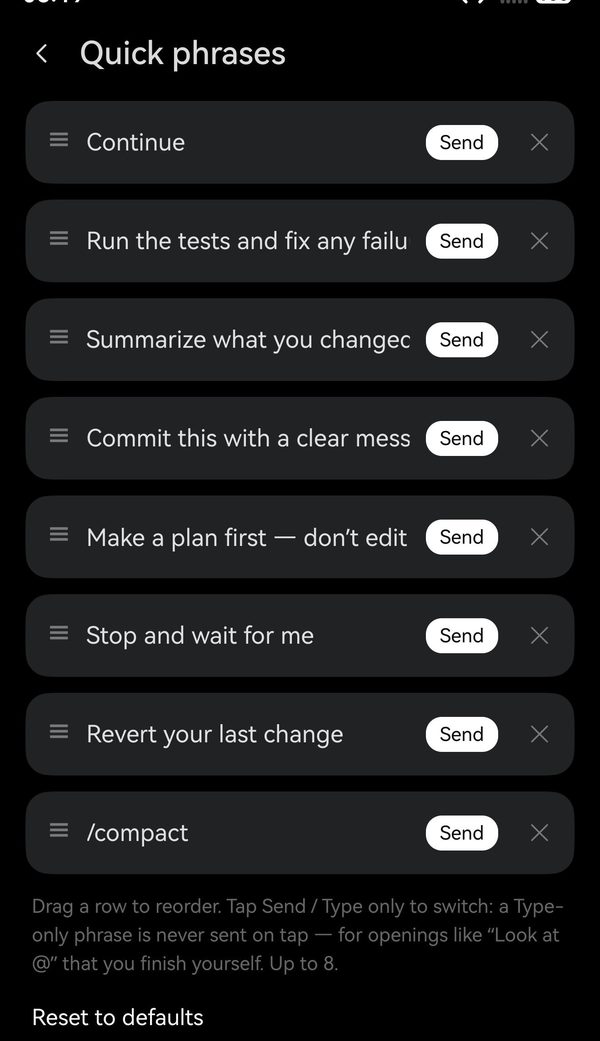
Tap Edit at the top of the phrases to open Quick phrases. Drag a row to reorder, tap a phrase to change its words, and tap Send to switch it to Type only — handy for openings you finish yourself, like “Look at the file…”. You can keep up to eight, and Reset to defaults brings the starting set back.
The agent's keys
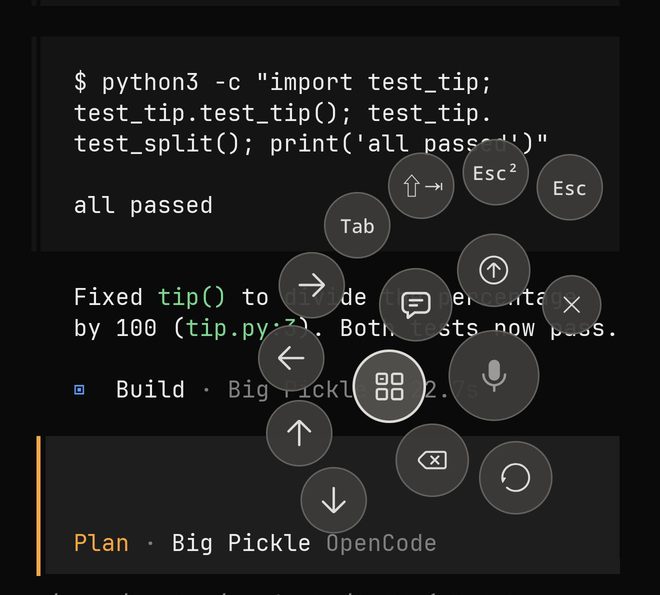
Tap ▦ and the keys a coding agent uses spread round the panel:
| Key | What it does |
|---|---|
| Esc | Stops the agent mid-answer. |
| Esc² | Esc twice — in Claude Code and Codex, goes back to edit an earlier message. |
| Shift+Tab | Switches the mode in Claude Code (plan, auto-accept edits) and Codex. |
| Tab | Switches the agent in opencode (Build, Plan); completes a command or file name in many tools. |
| ← → ↑ ↓ | Move through a menu or a list of options, through what you have typed, or back through earlier prompts. |
The keys stay open after you press one, so you can press Tab until the mode you want comes round, or Esc and then an arrow. Tap ▦ again to put them away.
Answer with one tap
When an agent stops to ask you something — Do you want to proceed? 1. Yes 2. Yes, and don't ask again 3. No — its answers appear above the panel on their own. Tap one and it is answered.
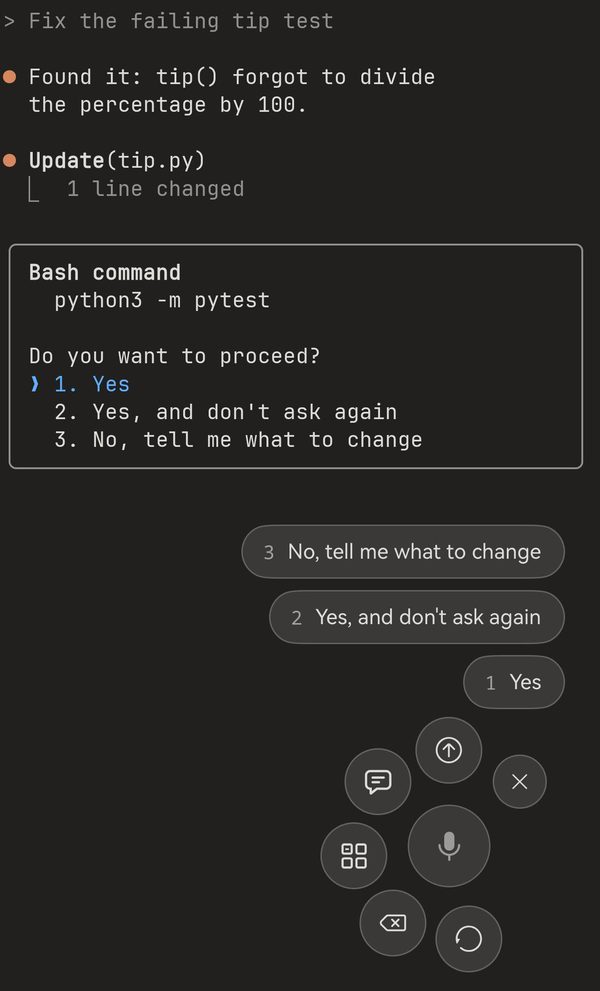
This needs an agent that tells the terminal when it is waiting for you — recent Claude Code and Codex do. Inside tmux or screen, or over mosh without termosh, the agent cannot get that through, so the answers do not appear on their own. Everything else on the panel still works there; answer with the arrows and Send instead.
Good to know
Phones and tablets
Agent input is offered on phones and tablets. On PCs and 2-in-1s, which have a keyboard built in, it is not.
Keys go to what is on screen
Phrases and keys go to the terminal tab in front, exactly as if you had typed them — to the agent if it is running there, to the shell if it is not.
It may change
Agent input is in alpha. If something works differently from this page after an update, that is why — and if you have an idea for what it should do, tell us.