Tap where the typo is
You recalled a long command with ↑, or typed one out, and there is a mistake near the middle. Tap the character and the cursor goes there. Fix it, press Enter.
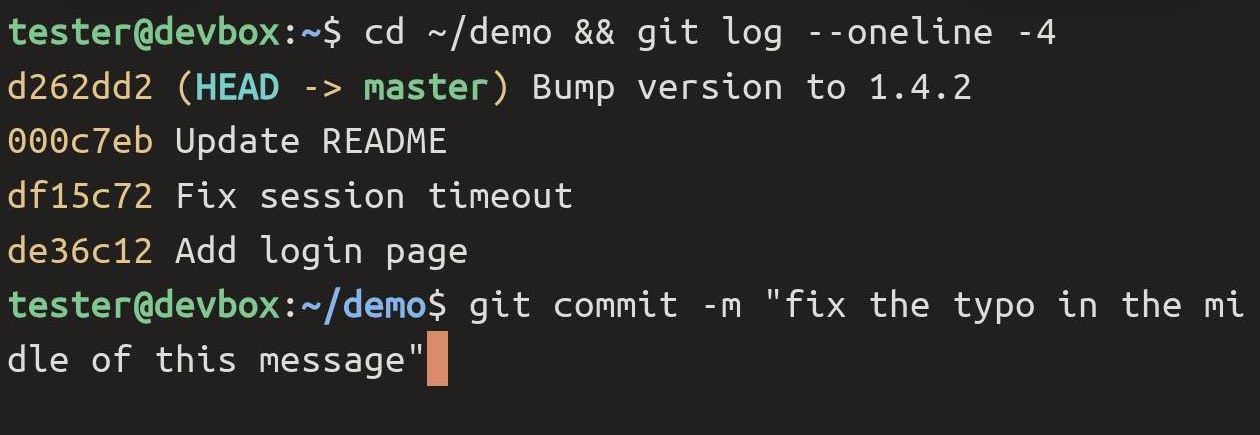
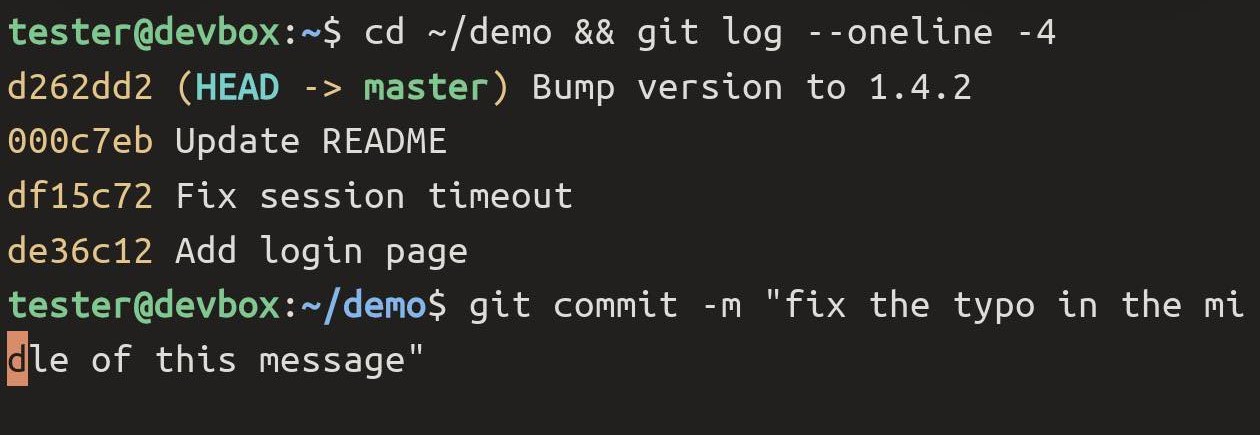
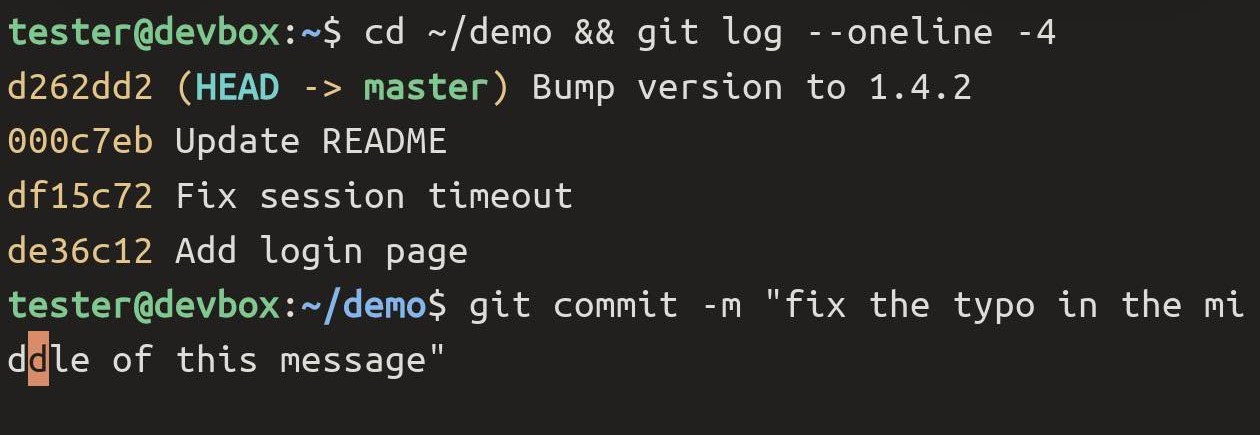
Three more places to tap:
- After the end of the command — the cursor goes to the end. Handy after a fix in the middle, when you want to add more.
- On the prompt itself (
user@host:~$) — the cursor goes to the start of what you typed. - On a Chinese character — it lands on that character. A wide character counts as one, not two.
It works over SSH and mosh alike.
Double-tap selects the whole thing
Double-tap a word to select it, then Copy. What changed is what counts as one word. Term now takes the whole of the things you actually copy from a terminal:
- a path —
/etc/apt/sources.list.d/nodesource.sources - an address with a port —
0.0.0.0:8000,db.internal:5432,[::1]:22 - a file and line from a compiler or a stack trace —
src/main.rs:42:7 - a branch, image or tag —
origin/main,nginx:1.27 - a URL, an email address, a UUID, a MAC address, a time like
12:30:05
A path that wrapped onto the next line comes out whole too.
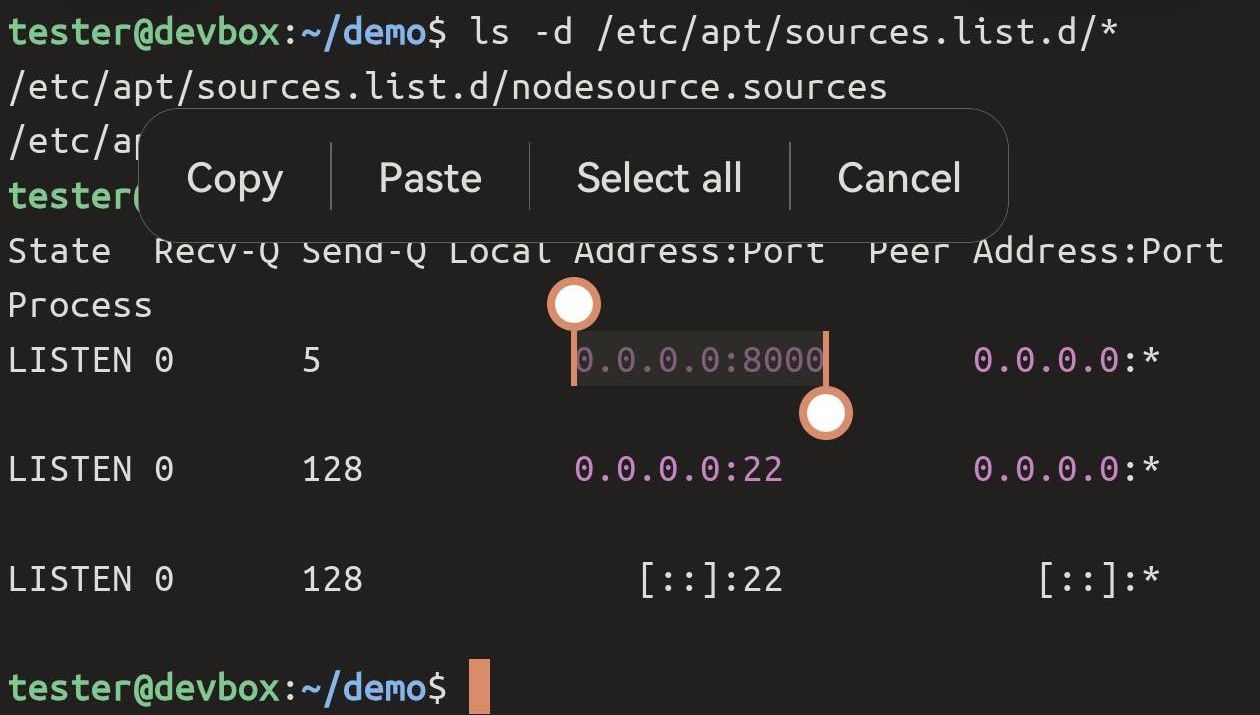
0.0.0.0:8000. Address and port in one selection, with the grips at either end if you want to adjust it.The edges are trimmed the way you would want. A path at the end of a sentence leaves the full stop behind, brackets and quotes around it stay out, and so does the colon after user@host in your prompt — double-tap the host name and you get the host name.
Tapping a link once still opens it, as before — see Tapping links.
When a tap does not move the cursor
Tap-to-move is for the command line at a shell prompt — bash, zsh, fish, or a program’s own one-line input. A few places it stays out of the way:
- Full-screen programs — vim, less, top. Taps there belong to the program, and many of them handle touches themselves. tmux and screen count as full-screen too: inside them a tap does not move the cursor.
- When you have scrolled up into history. Scroll back down first.
- Emoji with a skin tone or other modifier (👍🏽, family emoji). The shell and Term count their width differently, so a tap after one can land a character or two off. Chinese is fine.
If you would rather move without taking your finger off the keyboard, slide across it — both work, pick whichever is closer.