The pointer shows what a click will do
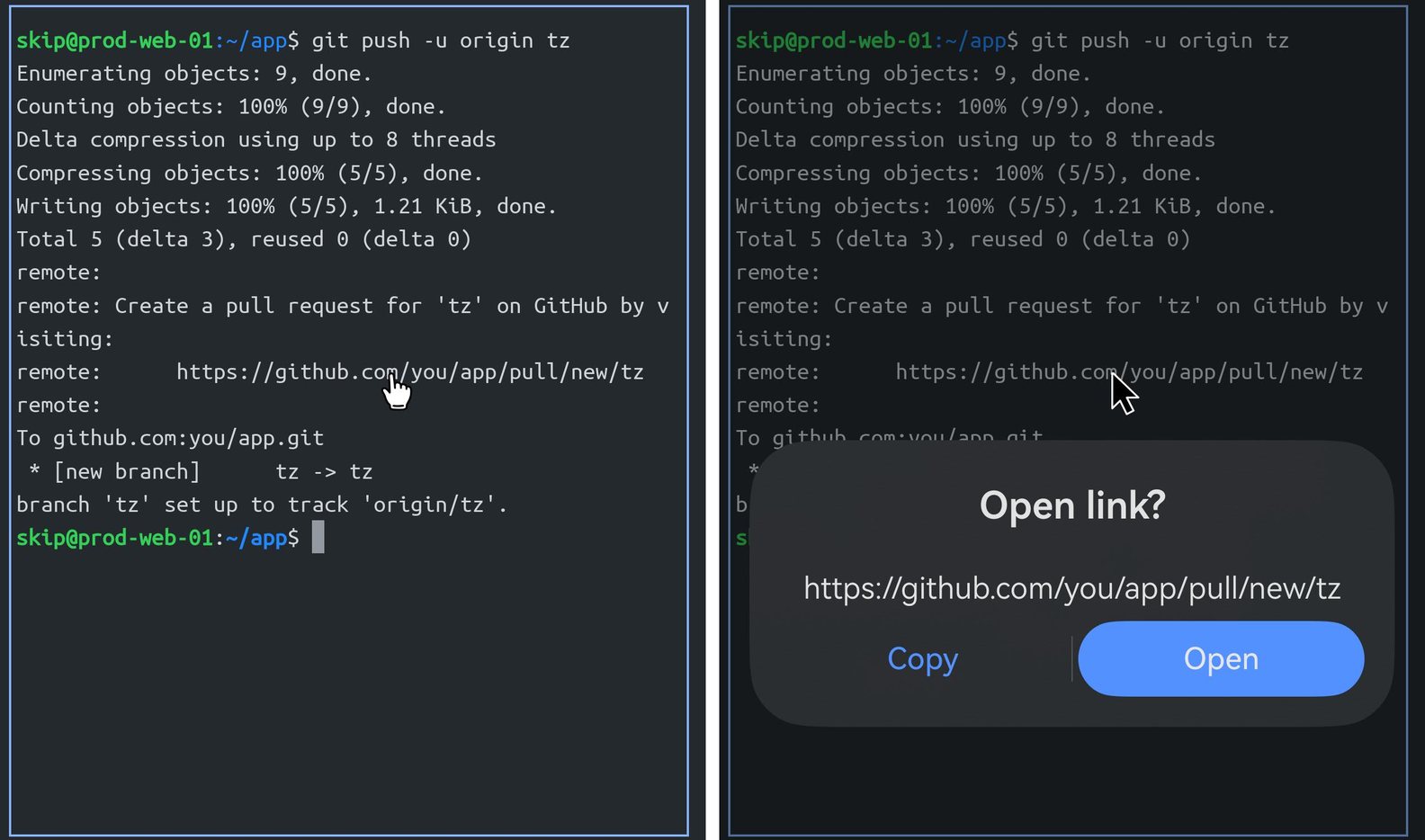
Move the pointer over the terminal and it stays an arrow — over text, over the prompt, anywhere a click would do nothing. It turns into a hand over things a click acts on: a link, the selection menu, the selection handles.
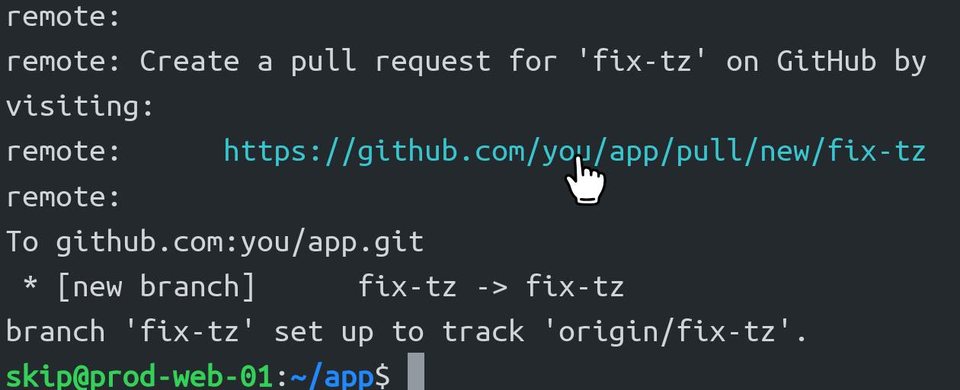
git push is a hand: a click opens it.Click a link and Term asks first, with the whole address on screen: Copy or Open. Drag with the pointer to select text, and double-click to select a word.
Two-finger scroll moves back through the output. It never types anything: in the shell, it scrolls Term's history; in a program that uses the mouse, like tmux with mouse on, htop or herdr, the program gets the scroll and moves its own view.
Paste with Ctrl+Shift+V or Shift+Insert
Press Ctrl+Shift+V — or Shift+Insert, the paste key from Linux and Windows — and Term offers its Paste button at the cursor. The name of the shortcut flashes over the title bar, so you can see what Term understood.
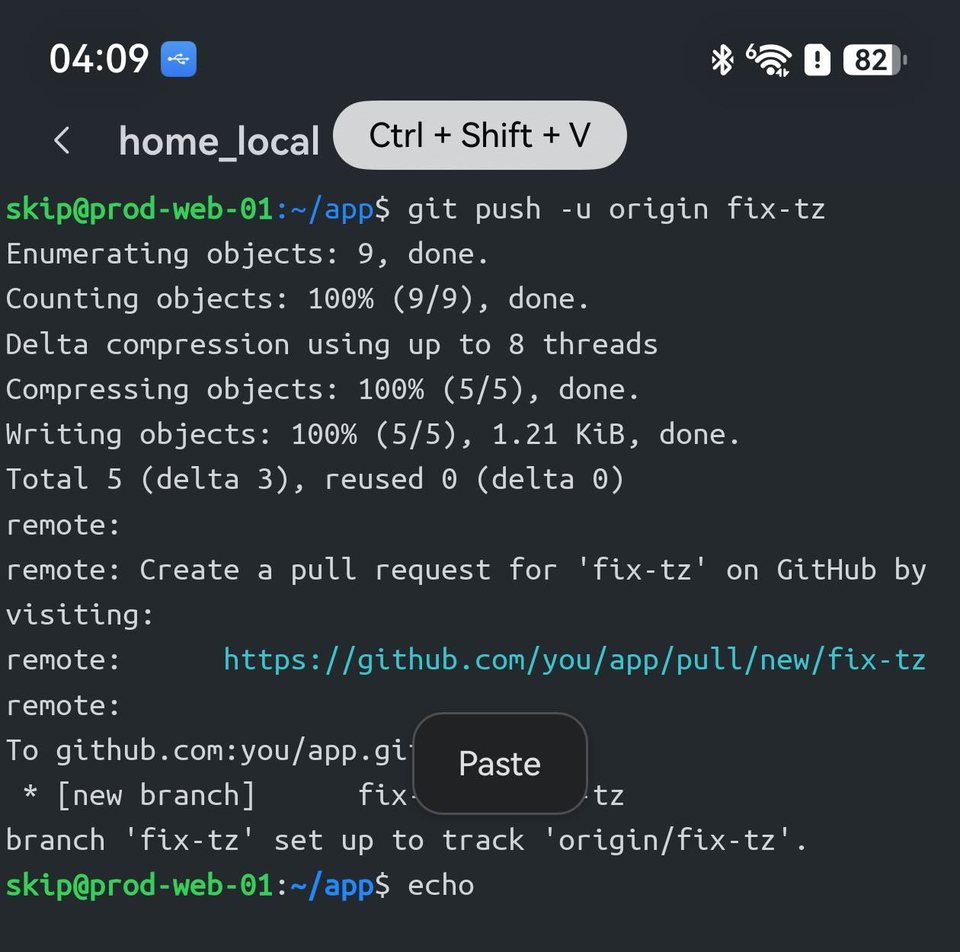
Why not Ctrl+V? Because Ctrl+V and Ctrl+X are keys your programs already use. Term sends them to the program exactly as a desktop terminal does — a terminal that took Ctrl+V for itself would take it from all of these:
| Key | bash and zsh | vim | nano | emacs |
|---|---|---|---|---|
| Ctrl+V | type the next key literally | block selection | next page | scroll down |
| Ctrl+X | start a two-key command (Ctrl+X Ctrl+E edits the line in your editor) | decrease a number | exit | start a two-key command |
Ctrl+C stays the interrupt that stops a running command, for the same reason. That is why Linux terminals put copy and paste on Ctrl+Shift, and Term does too.
Chinese input from the keyboard
Switch the keyboard's input bar to 中 — a single tap on Shift toggles 中 and 英 — and type pinyin. The candidates appear beside the cursor, exactly where you are typing, and the choice goes to the shell as text.
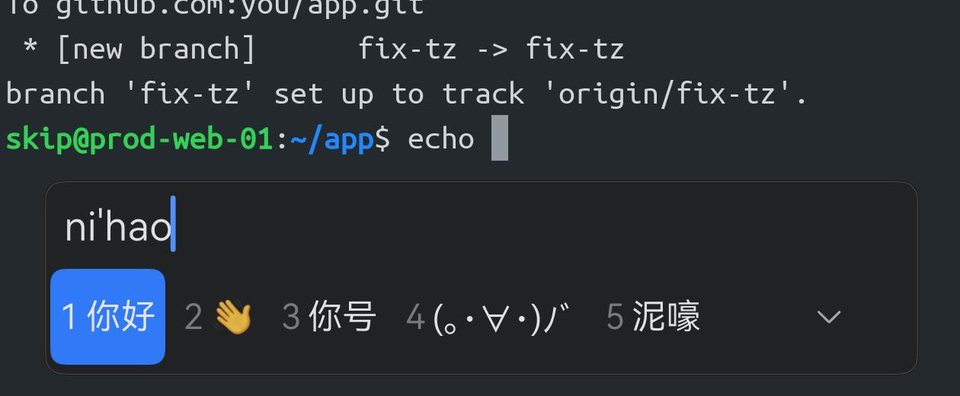
echo nihao, with 你好 first in the candidate window under the cursor. Space picks it, and echo prints 你好.Before 26.5.3, pinyin from the keyboard could stop working after you left Term: go to the home screen, pull down the notification shade or open a page with its own text box, come back, and the keys typed ni hao instead of 你好 until you tapped the terminal. Term now reconnects the input method every time it gets the keyboard back, so you can keep typing.
Pinch to zoom
On many keyboards with a touchpad, a pinch on the touchpad makes the text bigger or smaller. These keyboards send a pinch as Win and plus or Win and minus — the Windows magnifier keys — and Term reads each one as a step of text size.
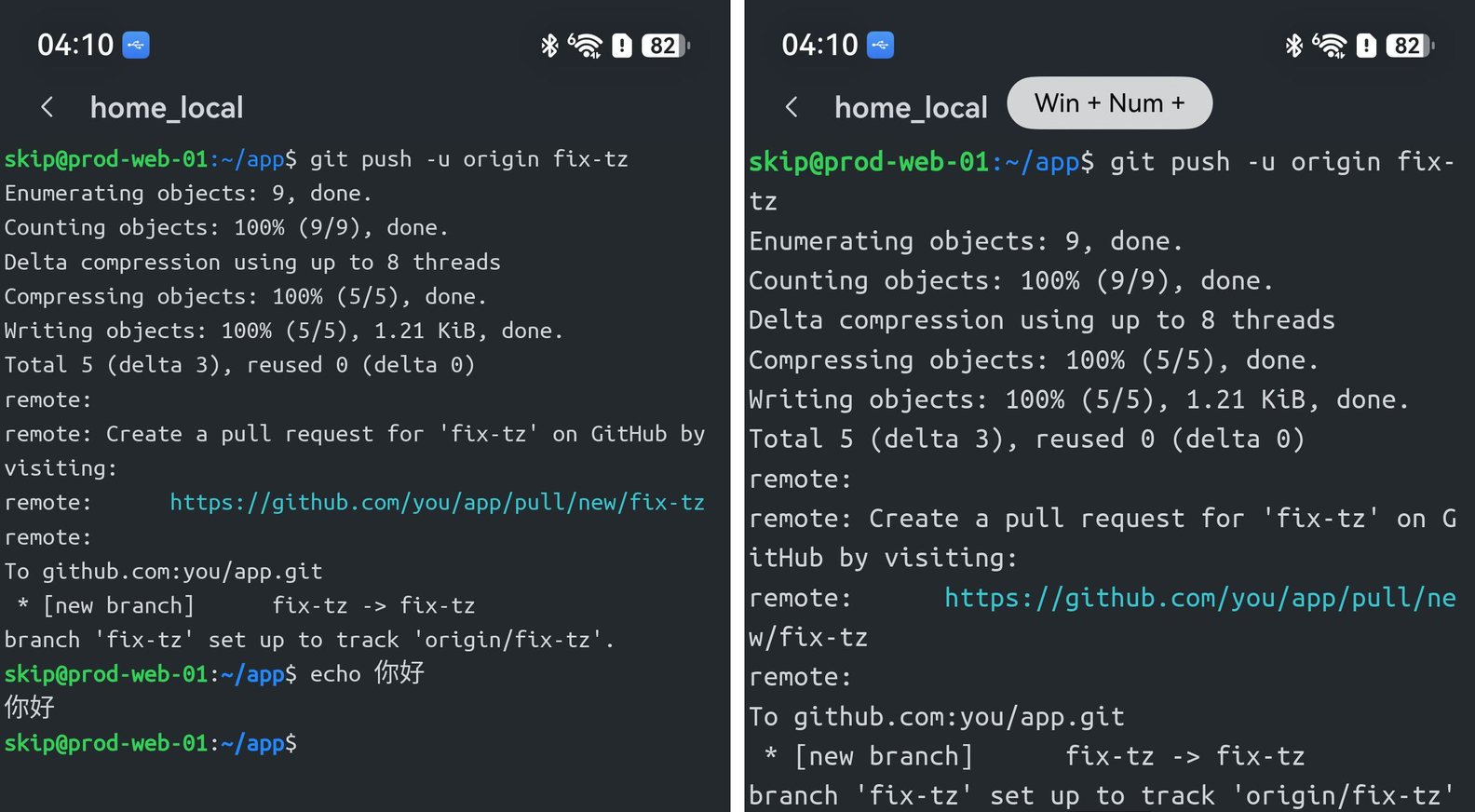
The keyboard shortcuts do the same, one step at a time: Ctrl+= bigger, Ctrl+- smaller, Ctrl+0 back to your default size.
The mouse in tmux, vim and herdr
Programs that use the mouse get the touchpad the way they would on a desktop. In tmux with mouse on, in vim with set mouse=a, and in herdr:
- Click a pane, a window or a tab to switch to it.
- Two-finger tap (right-click) for the program's menu, where it has one — tmux and herdr do.
- Drag the border between two panes to resize them.
- Two-finger scroll scrolls the pane under the pointer.
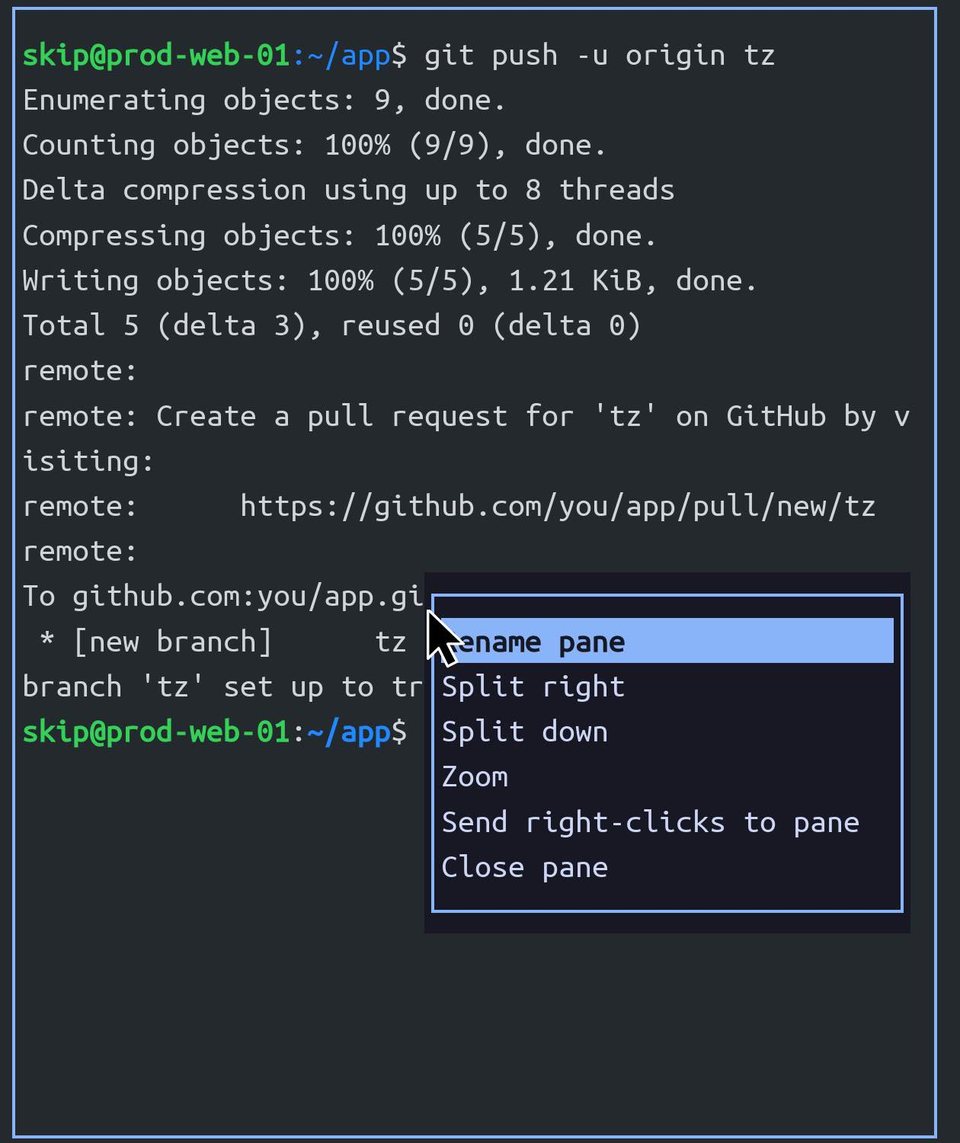
A program that uses the mouse owns your clicks, so a plain click on a link goes to the program. To open the link instead, hold Ctrl: the pointer turns into a hand over it, and Ctrl+click opens it in Term.
Shortcuts
Ctrl+Shift+VShift+Insert Ctrl+TabCtrl+Shift+TabCtrl+1…9 Ctrl+Shift+TCtrl+Shift+W Ctrl+=Ctrl+-Ctrl+0 Paste; next and previous tab, or straight to tab 1 to 9; a new tab and closing this one; text size bigger, smaller and back to default. Every other key and Ctrl combination goes to your program, as it would in a desktop terminal.
The shortcut pill
The name of each shortcut flashes over the title bar — Ctrl+C, Ctrl+Shift+V, Win + Num +. To turn it off, go to Settings and switch off Show key combos.
Win key shortcuts never type
A key pressed with Win is never typed into the terminal. Before 26.5.3, a keyboard that sends a pinch as Win and plus could leave a row of + and - at the prompt.