The cost is the babysitting
A build, a deploy, a tail -f, a test run — the problem with these was never that they are slow. It is that you cannot do anything else while they run. Switch to a browser to look something up and the terminal is gone; switch back to check on it and you have interrupted the thing you switched away to do.
A floating window turns that around: the app you are working in fills the screen, and the terminal shrinks to a small window on top of it. The log keeps scrolling and a glance sideways is the whole check. It is also not the same as sending Term to the background — a floating Term is still foreground, so the session does not drop while you read the docs.
Getting into one
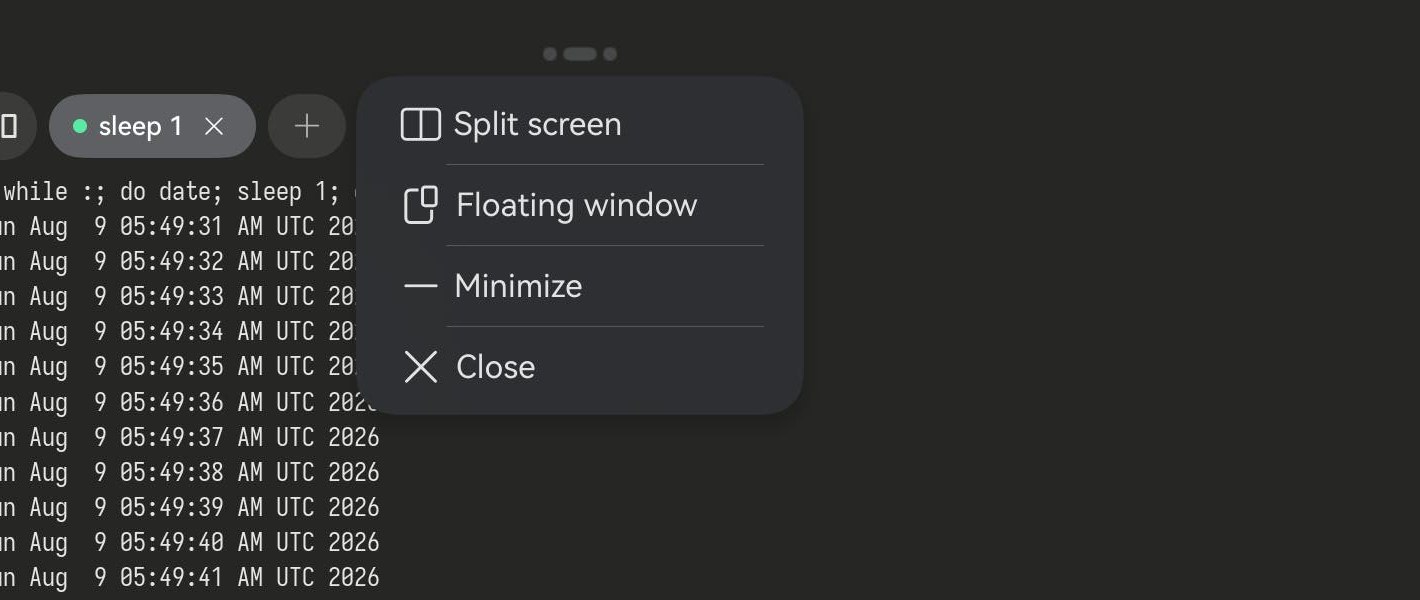
On a tablet or a 2-in-1 there is a slim window-control strip at the top centre of the screen. Tap it and four options appear: Split screen, Floating window, Minimize, Close. Pick Floating window and Term shrinks into a window you can drag anywhere and resize. The strip itself is a large-screen thing; a phone has no menu but gets to the same place by a gesture — see below.
Work and watch
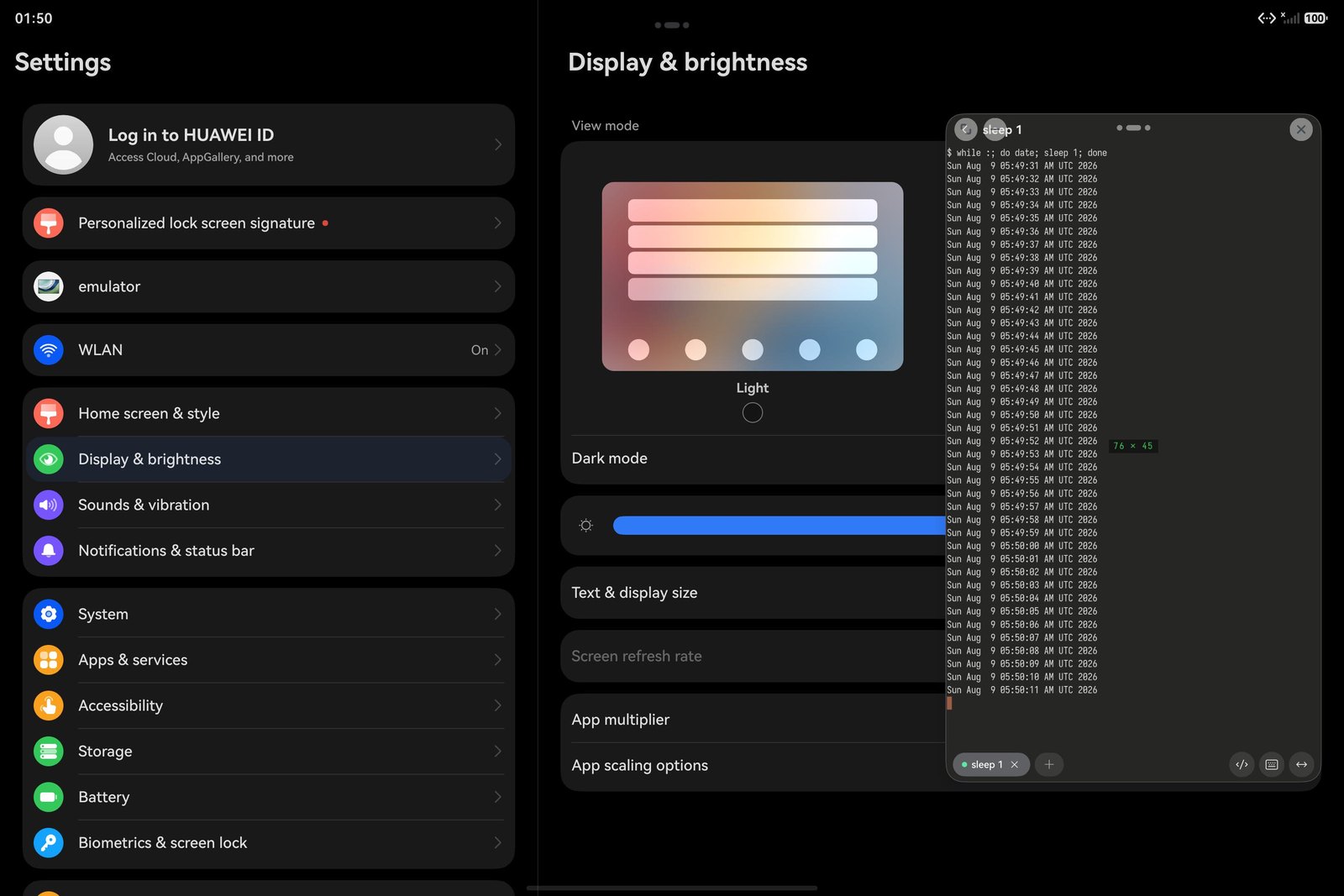
This is what it is actually for: Settings — or the docs, the browser, the thing you are writing — fills the screen, Term floats beside it, and the log keeps ticking a line a second. You never switch back to confirm it is still alive, because it is right there. Drag the window to any corner; resize it to taste.
A smaller window, not a smaller terminal
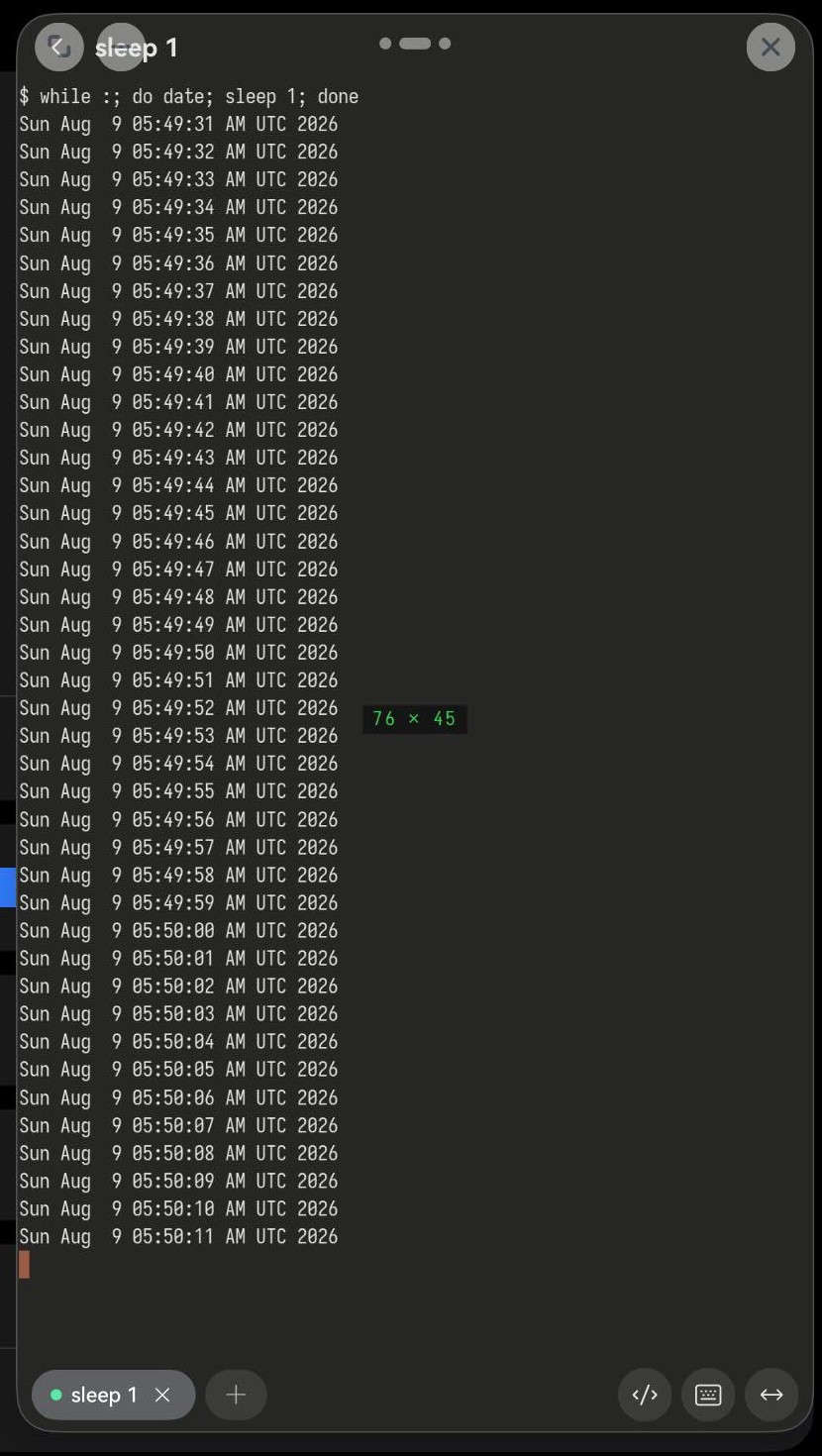
Term in a floating window is still all of Term. The tab title follows the command that is running — it reads sleep 1 in the shot because the loop is sleeping at that moment. The key bar above the keyboard is all there: ctrl, the arrows, esc. The 76 × 45 that flashes in the corner is the current column and row count, and the remote PTY is resized to match, so full-screen programs like top and vim redraw correctly instead of wrapping into a mess.
On a phone: swipe up, carry it to the top-right
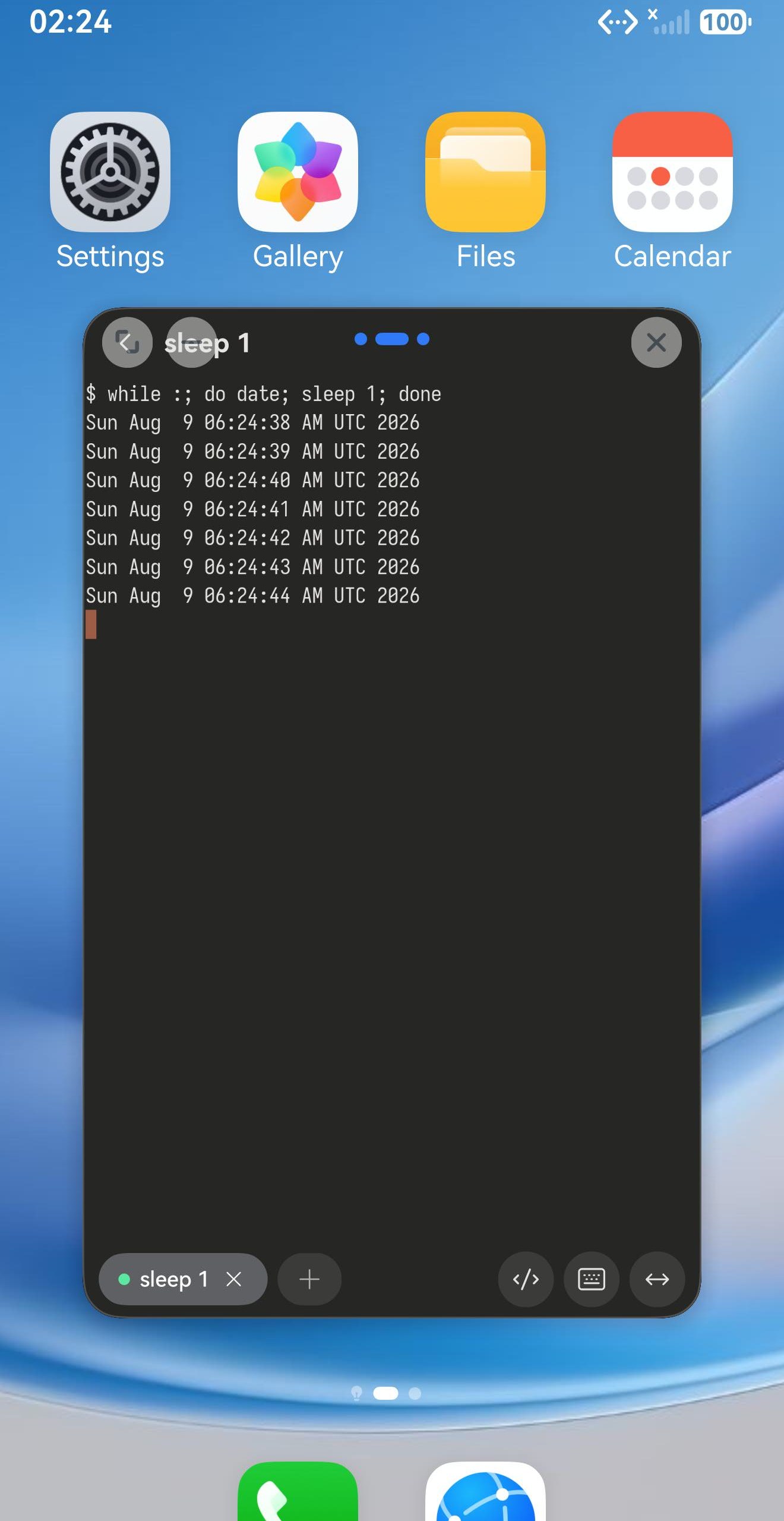
A phone has no control strip, but it has floating windows all the same — as a gesture instead. Swipe up from the bottom edge and keep your finger down, carry it to the top-right corner, pause there, and let go. Term shrinks into a floating window over the home screen, or over whatever you were in. Drag it back toward the middle of the screen to go full-screen again.
If you are still on something older than 26.0.22
There was a bug sitting directly on this path before 26.0.22: after switching Term to a floating window on a tablet, the on-screen keyboard could not type into the terminal. It came up and it took taps — the characters just never arrived. External keyboards were unaffected, and so were phones. Changing window mode rebuilds the whole terminal view, and the outgoing copy was clearing the input hook the incoming one had just claimed. Fixed in 26.0.22 — if you have met this, updating is the whole fix.
Related: Using tmux from a phone