What it is for
You connect to a server with a key stored in Term. Then, on that server, you run something that needs a key of its own: git pull from GitHub, git push a branch, ssh to the next machine. The server has no private key, so it fails.
Agent forwarding lets the server borrow yours. When git or ssh on the server needs a signature, the request comes back over your connection and Term signs it on the phone. The server gets the signature, never the key.
It is what makes a remote dev box — or a coding agent running on one — able to push its own work.
Before and after
The same server, the same commands. First with forwarding off:
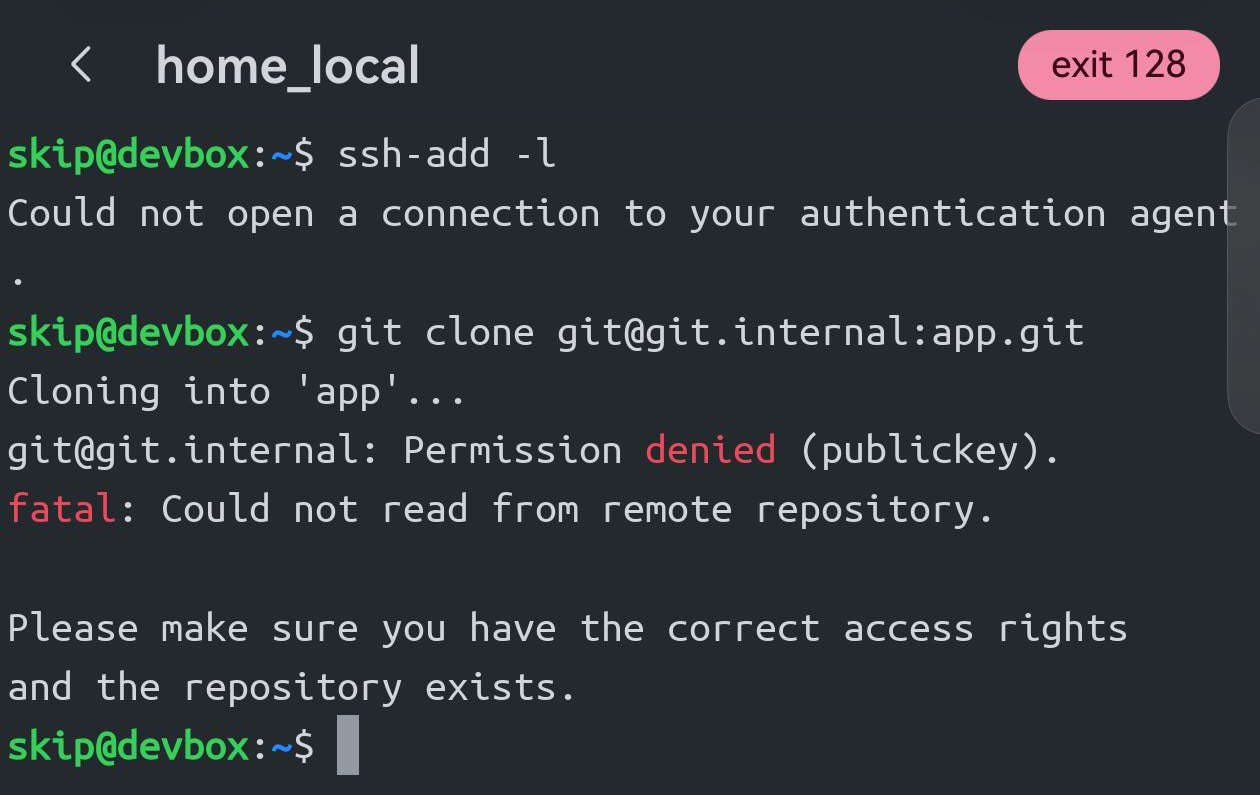
ssh-add -l finds no agent, and the clone is refused with Permission denied (publickey).And with Forward agent turned on for the host:
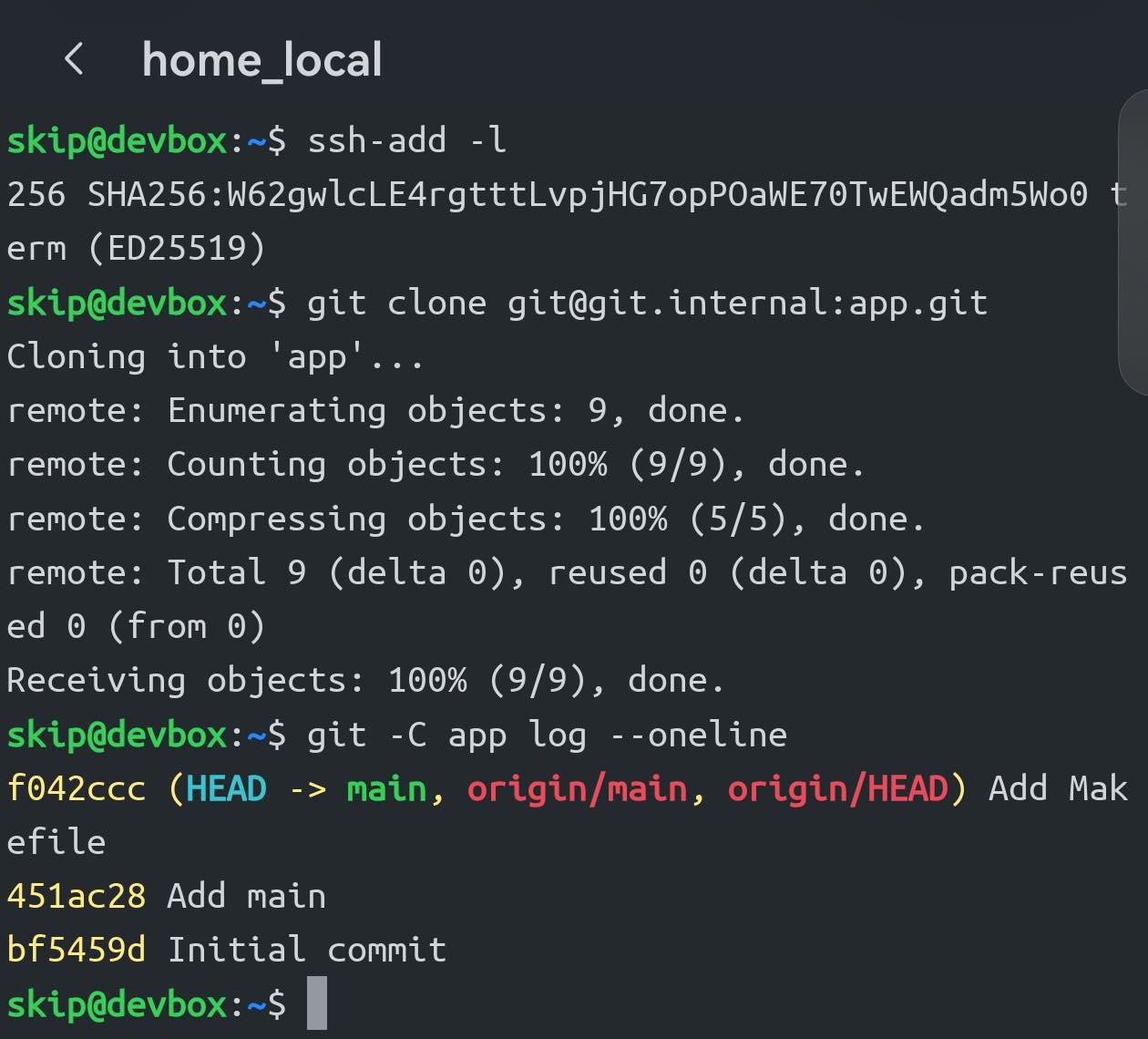
ssh-add -l lists the key from your phone — just that one — and the clone goes through. Nothing was copied onto the server.Turn it on
Open the host: long-press it → Edit → Advanced options → Forward agent, then save.
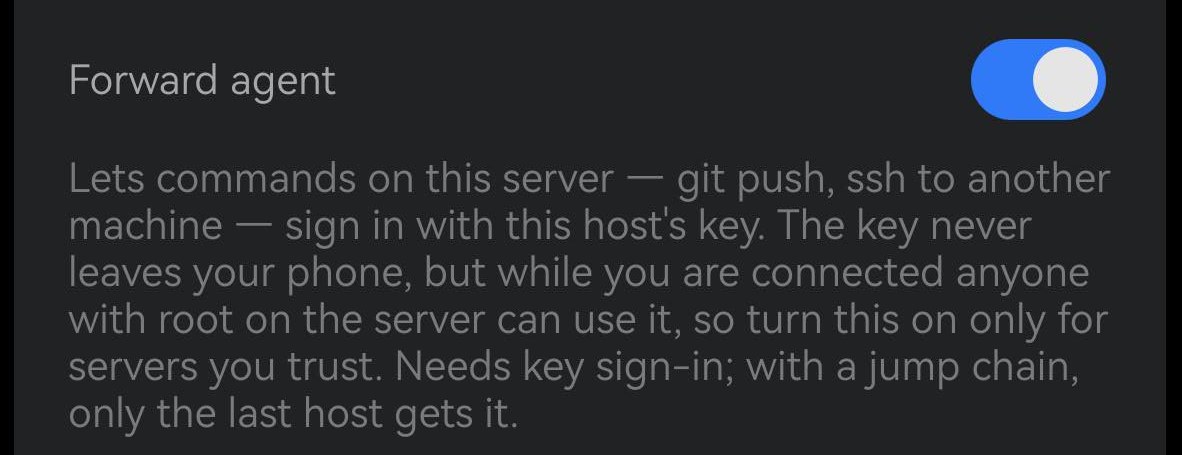
It needs three things:
- A key sign-in. The key the host signs in with is the one forwarded. A host that signs in with a password has nothing to forward.
- An SSH connection. Not mosh or Telnet — the switch only appears for SSH hosts.
- The key accepted where you are going. Forwarding lends your key; it doesn't create access. For GitHub, the key's public half must be added to your GitHub account, the same as it would on a laptop.
To check it is working, run ssh-add -l on the server: it should list one key.
Before you turn it on
Only on servers you trust
While you are connected, anyone with root on that server can ask your phone to sign in as you. They cannot take the key, but they can use it for as long as the session is open. That is why it is off by default, per host, and why OpenSSH ships it off too.
Only this host’s key, only while connected
The server is offered the one key this host signs in with — none of your other keys — and nothing else: it cannot add, remove or list other keys. When you disconnect, it is gone.
Reaching another server? Use a jump host instead
If what you want is to get from a bastion to an internal machine, set up a jump host. Each hop signs in from your phone and your key is never usable on the bastion. Forwarding is for commands that run on the server, like git. With a jump chain, only the last host gets the agent.
If it doesn't work
“Could not open a connection to your authentication agent”
Forwarding is not reaching the server. Check that the switch is on for this host and saved, that the host signs in with a key and is an SSH host, and that you reconnected after turning it on. Some servers disable it: AllowAgentForwarding no in the server’s sshd config.
ssh-add -l lists the key, but git is still refused
Forwarding works; the destination does not know the key. Add the key’s public half there — for GitHub, under Settings → SSH keys.