‹ Guides

Text and emoji

Chinese, Japanese, Korean, emoji, box lines, prompt icons — checked one character at a time on a real phone.

Written · Updated

1 314
characters checked
18
kinds of text and symbols
9
screens
What we checked

A terminal is not like an ordinary text box: it places every character into its own fixed-width slot. A Chinese character takes two slots, a letter takes one, and an emoji is sometimes several pieces that have to join into a single picture — a family emoji is four people and some glue. Get any of that wrong and the screen drifts, overlaps, or shows an empty box.

So we did not spot-check a few characters. We laid 1,314 different characters out over 9 screens, connected to a real server with Term, and ran the whole thing on a phone in one go, photographing every screen. That run is the film just below.

Nine terminal screens looping: letters, symbols, box lines, Chinese, Japanese and Korean, emoji, joined emoji, a long scroll of Chinese, and edge cases.
All nine screens of a single run, looping in order.
What it looks like in real use

A second run on the same phone, in a dark theme — the kinds of screen people actually spend the day in, plus the cases that most often go wrong, up close.

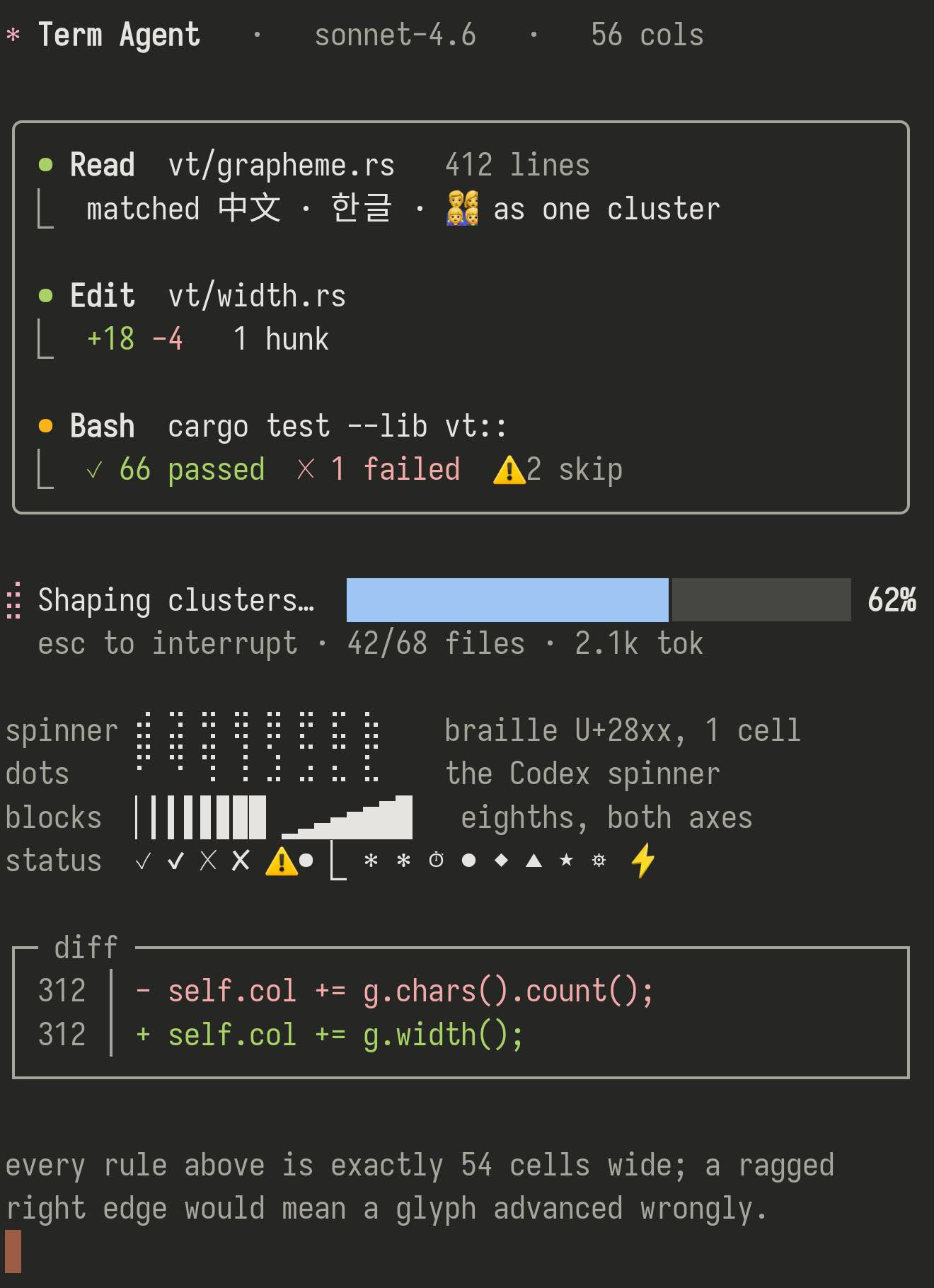
Terminal screenshot: a coding assistant at work — a bordered panel of steps it has taken, a spinner, a progress bar, and a row of ticks and crosses.
The screens a coding assistant draws. Bordered panels, a spinner made of dots, a progress bar built from part-filled blocks, ticks and crosses. Every horizontal rule is the same length — including the one on a line that also carries Chinese and a family emoji.
Terminal screenshot: a colourful arrow-shaped prompt, then a grid of small icons — folders, a branch, language logos — each labelled with its code.
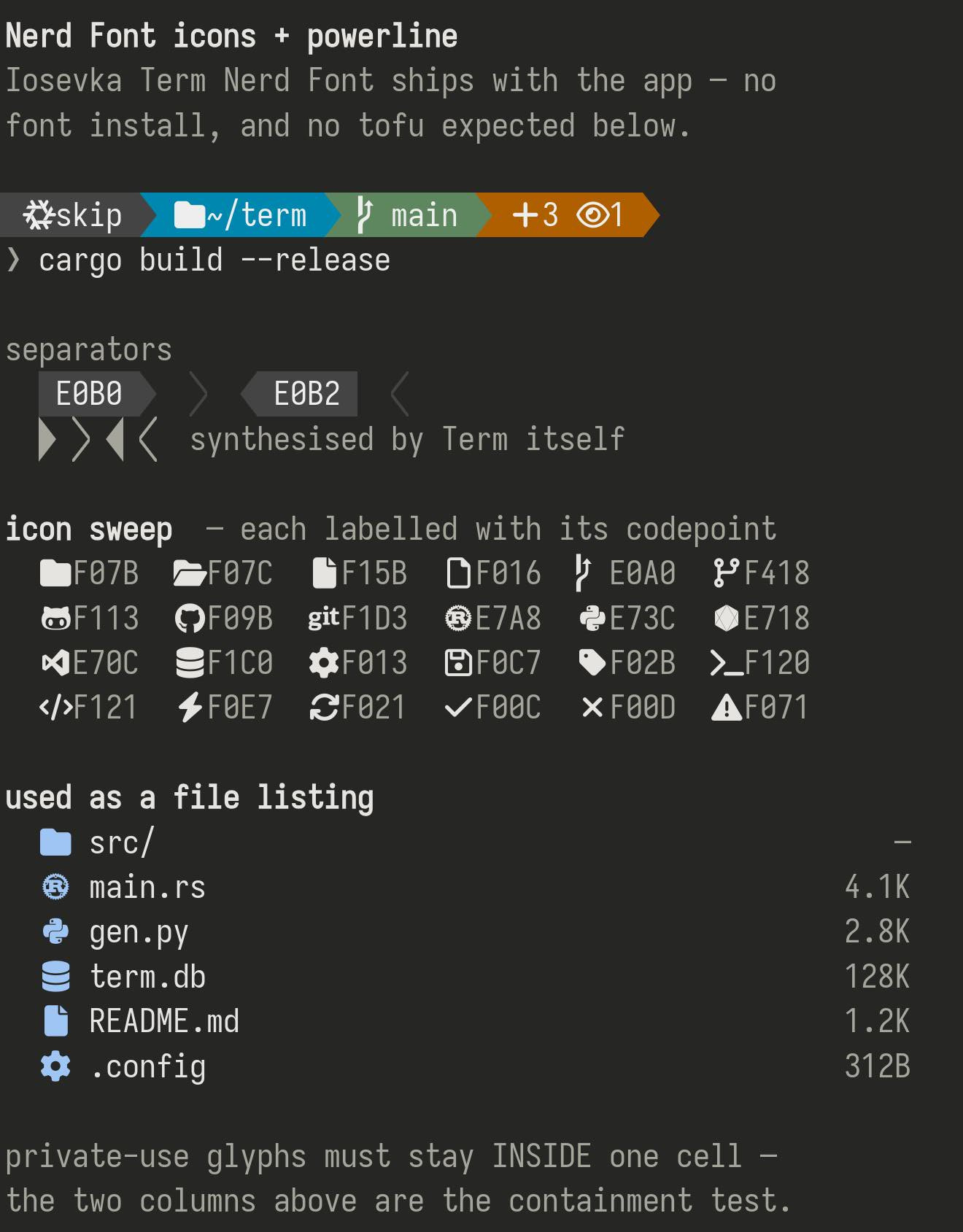
Prompt icons work with nothing to install. The arrow-shaped prompt bars, and the little folder, branch and language icons people put in their prompt, come from a font built into Term — so they arrive as pictures rather than empty boxes, each inside its own slot.
Terminal screenshot: a table of emoji — families, jobs, skin tones, flags — each shown as one complete picture, with dots between them that line up.
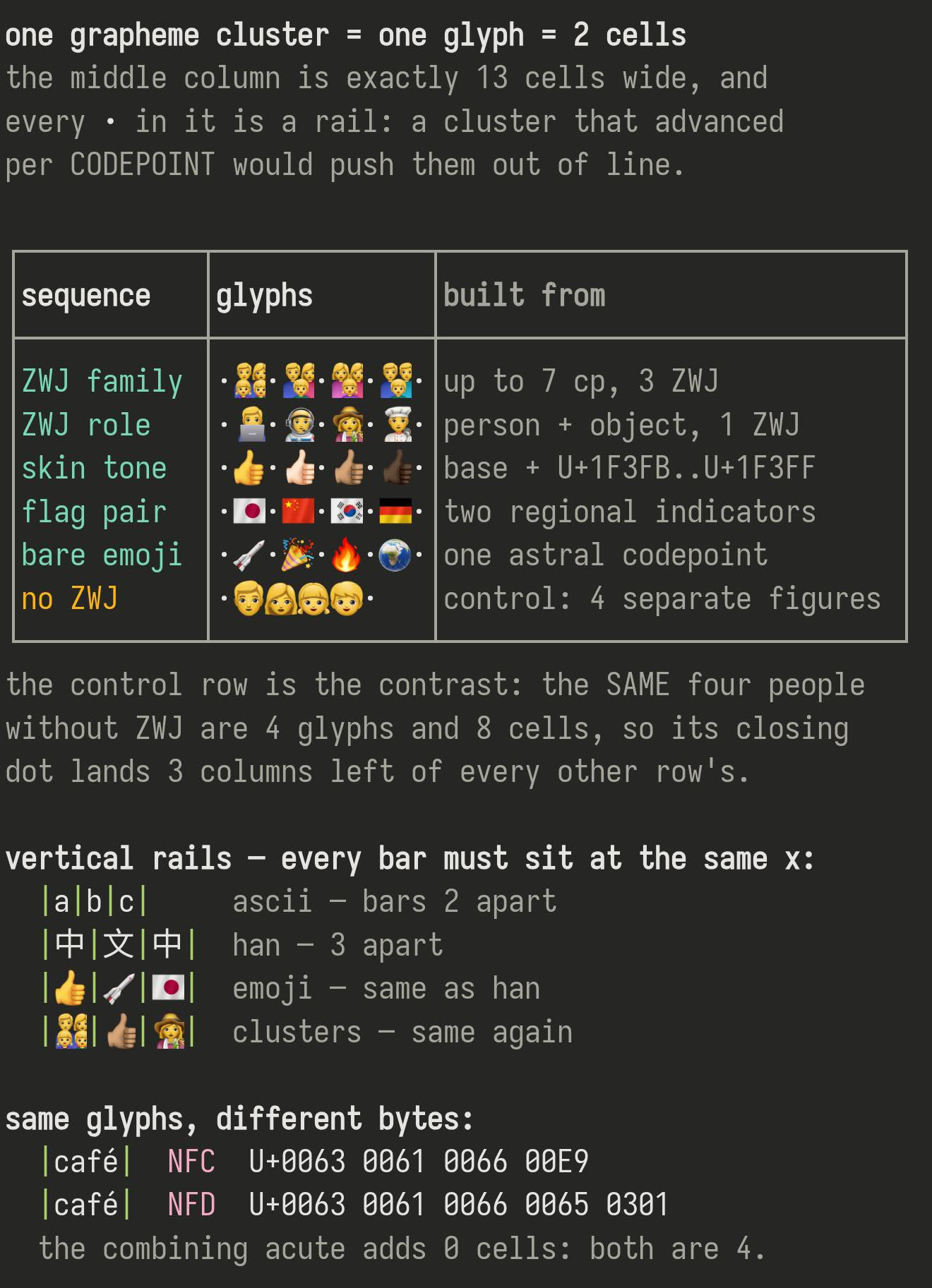
Emoji built from pieces have to end up as one picture. A family is one family, not four people in a row; each skin tone is a single complete thumbs-up. The dots between them are the test, and they line up on every row. The last row is four people written separately on purpose — you can see it finish three slots early.
Terminal screenshot: rows of Chinese, Japanese and Korean text in a table, every row ending in exactly the same column.
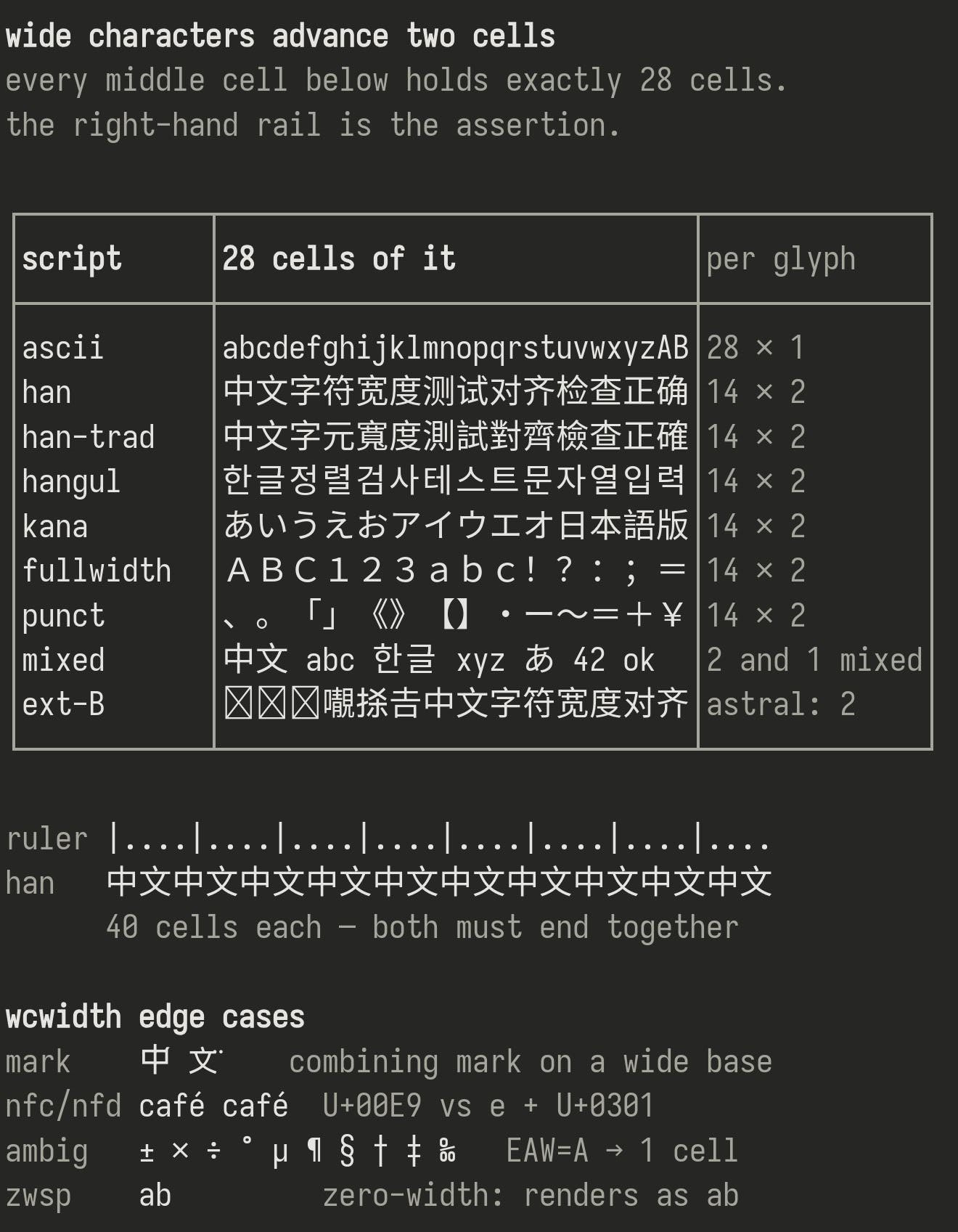
Chinese, Japanese and Korean take two slots each. Every row of the middle column holds the same number of slots, so the right-hand edge comes out as a straight line. The row that mixes Chinese with English does not drift either.
Terminal screenshot: a dashboard of box-drawn panels, coloured bars, a sparkline and rows of braille dots.
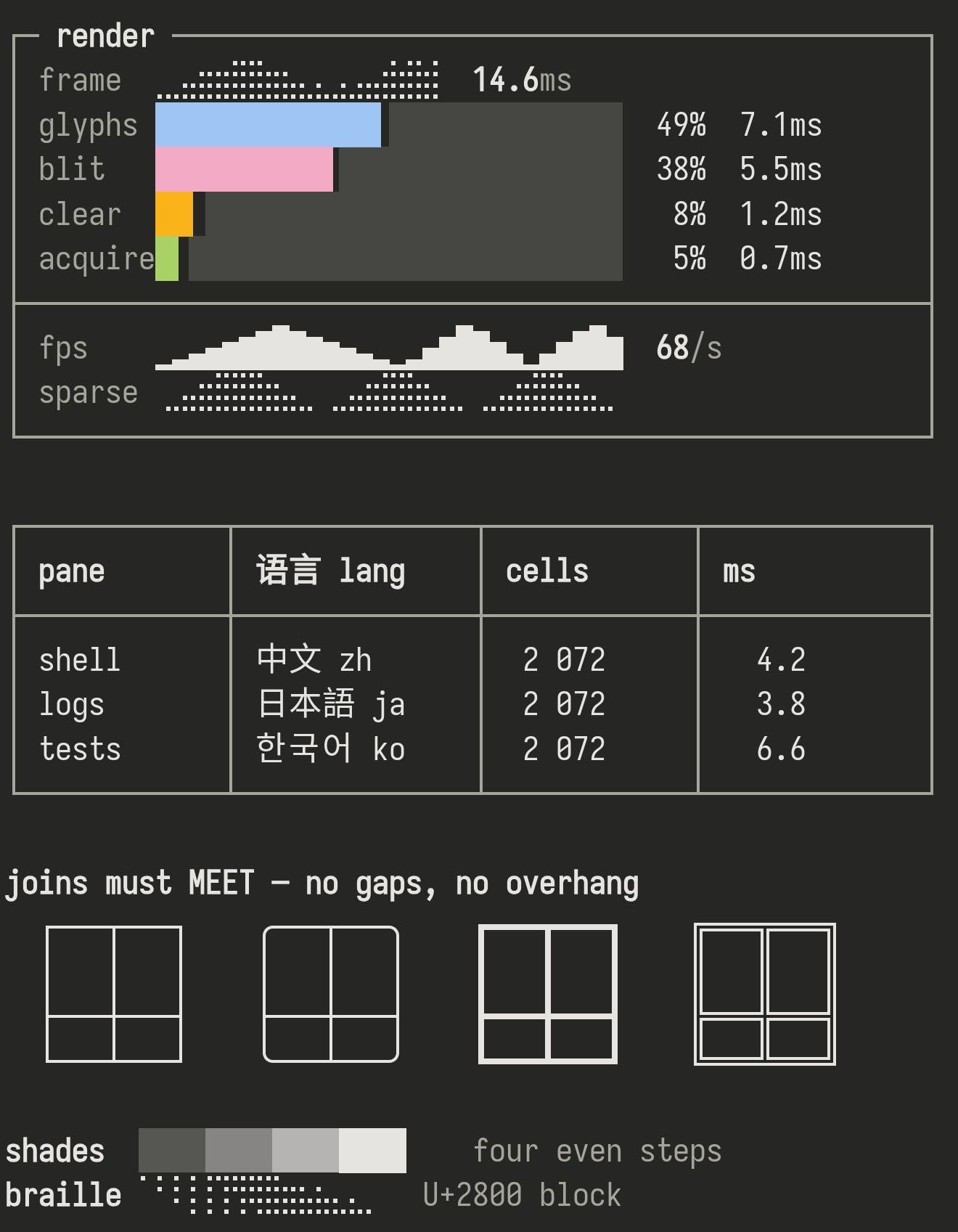
Lines have to meet. Tools like htop, tmux and vim build their interfaces out of these, and a corner that does not quite join shows up as a gap. Term draws them itself, so they meet exactly — thin, rounded, thick and doubled all join cleanly.
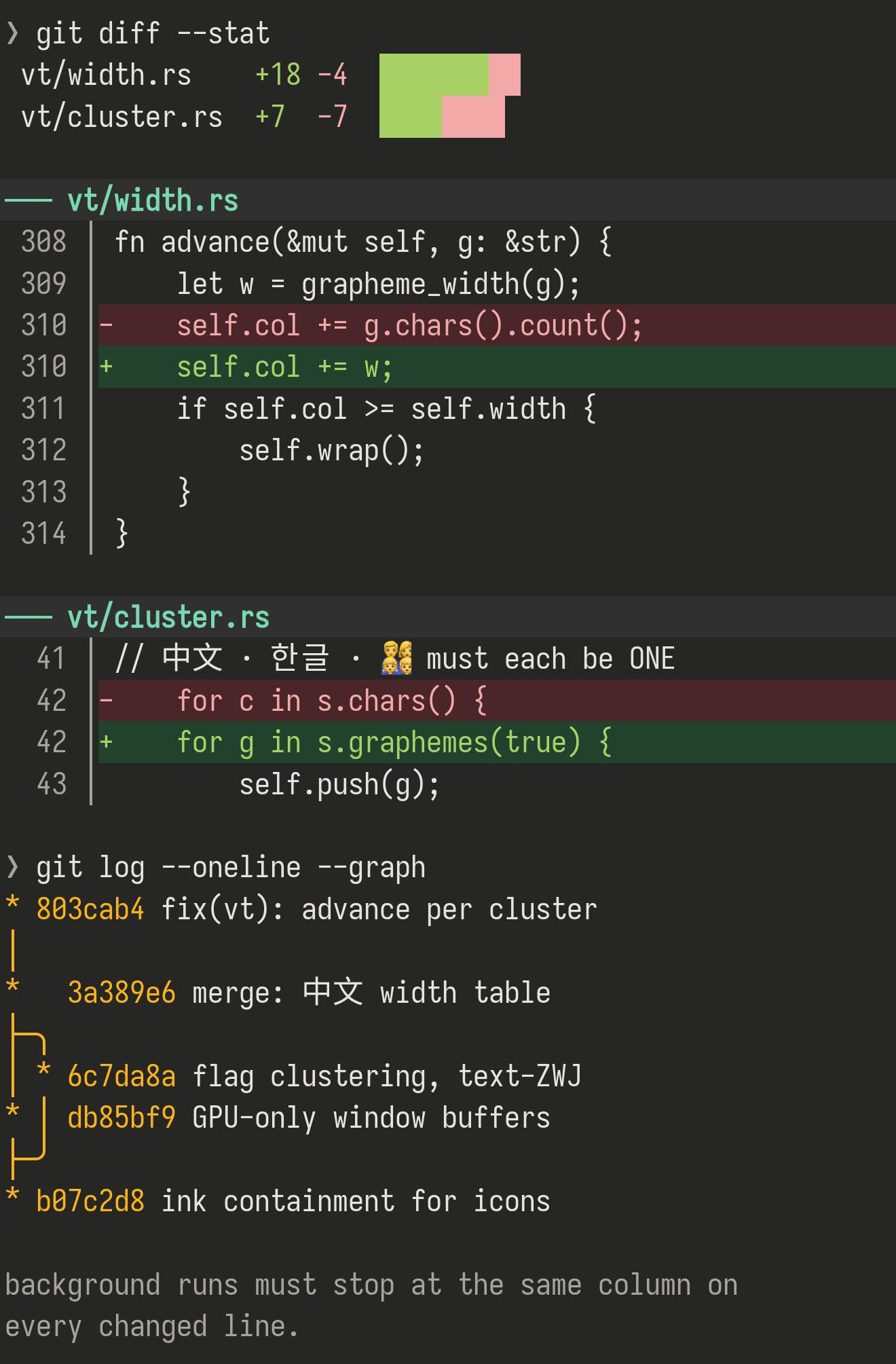
Terminal screenshot: a coloured diff with added and removed lines highlighted, and a branch graph below it.
Coloured backgrounds stop where they should. On a diff every changed line is highlighted to the same width; a stripe that ended a slot early or late would show up as a ragged edge down the screen.
The full list

Everything the check covered, and how each came out. The Chinese portion is the characters people actually use most — ranked by how often they appear in Term’s own Chinese interface — plus a sample spread across the rarer ranges.

WhatCharactersResultNotes
Chinese — everyday characters 503 good Two slots wide, and stays lined up with English
Box lines and frames 128 good Drawn by Term itself, so it looks identical in every font
Braille dots 64 good Crisp dots — used by spinners and progress meters
Cyrillic 64 good Right shapes, right spacing
Greek 57 good Right shapes, right spacing
Emoji 49 good In colour, two slots wide, never crowding its neighbour
Japanese kana 34 good Right shapes, right spacing
Blocks and progress bars 32 good Drawn by Term itself, so it looks identical in every font
Full-width letters and numbers 26 good Two slots wide, as they should be
Arrows, ticks and symbols 22 good Including the marks AI tools like Claude Code draw
Korean 16 good Right shapes, right spacing
Chinese — less common 16 good Right shapes, right spacing
Chinese and Japanese punctuation 15 good Right shapes, right spacing
Arabic and Hebrew 12 good Correct letter shapes and joins
Prompt icons (Nerd Fonts) 7 good The icons a powerline-style prompt uses
Accents and marks 6 good Joined onto the letter, sharing one slot
Plain and colour versions of a symbol 2 good Both the plain and the colour version
Very rare Chinese characters 5 see below No font we can reach has a design for these

1,314 characters · 18 kinds · 9 screens, all from the same run.

What we have not solved

Two things, better said than hidden.

Very rare Chinese characters show as blank

There is a set of extremely rare characters — mostly from classical texts and unusual personal names — that no font on the device has ever drawn. They appear as a blank or a box. The position is still correct: the cursor and line breaks behave normally, there is simply no design to show. This is not something Term can fix alone; it needs a font on the device that covers them.

Arabic and Hebrew are not flipped right-to-left

The letter shapes and joins are correct, but a terminal fills its slots in the order the program sends them and does not reverse a whole line. Every terminal works this way — whether to reverse it is up to the program running on the server.

Try it on your own server

The script behind this check needs Python 3 and nothing else. Paste the two lines below into a shell on any host of your own — they pull it straight down onto the server, so nothing has to travel through your phone — and see how the same pages look in the font and colours you actually use.

unimatrix.py
# pull it onto your server and run the whole thing
curl -O https://term.const.net/render/unimatrix.py -O https://term.const.net/render/cjk_top.txt
python3 unimatrix.py

# or just one screen (here, the joined emoji)
python3 unimatrix.py 7

References: the character list