What changed
Every gesture in the terminal — a tap, a long-press, a drag to scroll, a two-finger pinch, a mouse click, a wheel notch — used to pass through the general-purpose gesture handling the system gives every app. That handling is built for buttons and lists, and it often could not tell what was touching the screen: a finger and a mouse click looked the same by the time Term saw them.
In 26.7.0 Term understands every one of these itself, in the same engine that draws your terminal. Each decision is now made knowing exactly where the input came from, so a finger, a mouse, a touchpad and a pen can each get the behaviour that suits them.
A mouse selects like a mouse
On a tablet or a 2-in-1 with a mouse, dragging across text used to give you the phone's selection: round handles at both ends and a Copy pop-up over the text you were reading — tools made for a fingertip. Now a mouse selection is just a highlight, the way it is on a computer. Copy it with Ctrl+Shift+C or the right-click menu.
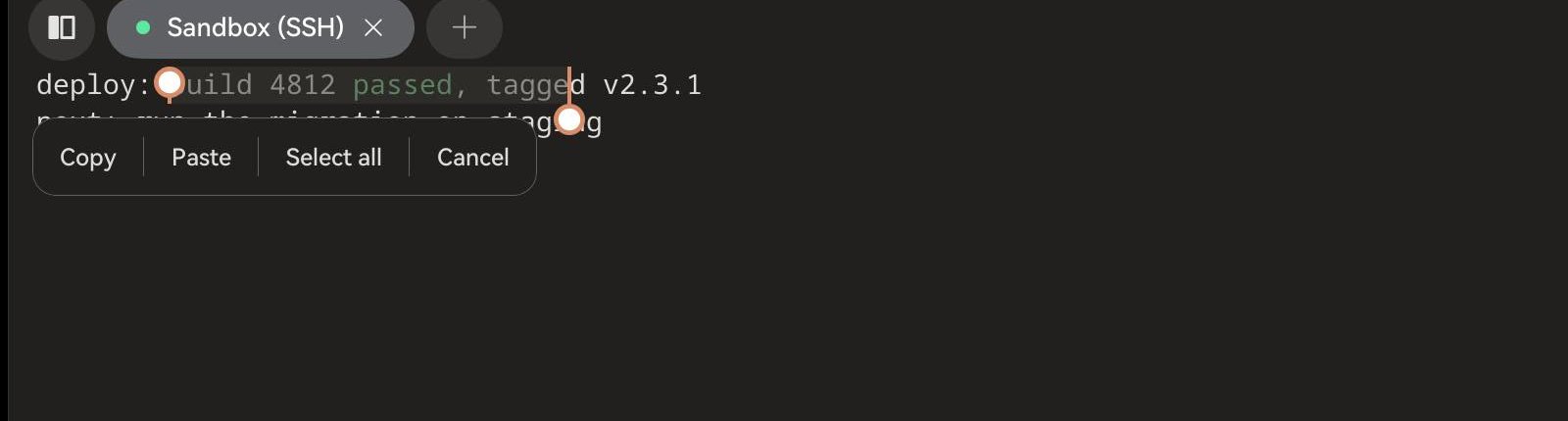
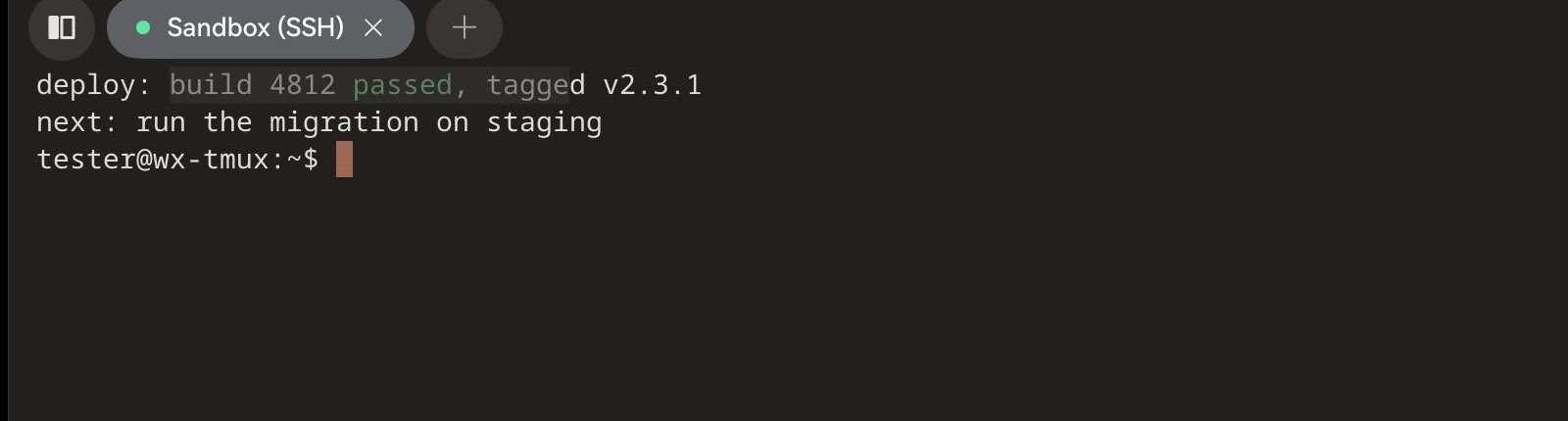
With a finger nothing changes: a long-press still selects the word with handles you can drag, and lifting your finger still offers Copy.
Taps that count, even when the phone is busy
A double-tap is two taps close together in time. Term used to measure that time by when the app got around to each tap — and opening the keyboard, which the first tap often does, can keep the app busy for a moment. Now Term measures by when your finger actually touched the glass, so a quick double-tap is a double-tap even if the app was briefly busy. The same goes for long-press.
Everything you already use still works
- Inside tmux, vim or htop your mouse clicks, drags and wheel go to the program, one click at a time.
- Shift still hands selection back to Term inside those programs: hold Shift on a hardware keyboard while you drag with the mouse, or lock Shift on the key bar (hold the key) and long-press with your finger.
- Two fingers pinch the text size, and a touchpad pinch does too.
- Ctrl + wheel changes the text size; the wheel scrolls three lines per notch.
- Long-press empty space and drag to send arrow keys; flick to glide through history.
About three times faster
With the new engine, Term typically knows what your touch meant in about 0.4 ms — measured on a Huawei phone (20 taps per version), from the moment the system hands the touch to Term until Term has decided it was a tap:
| Before | From 26.7.0 | |
|---|---|---|
| Finger lifts → Term knows it was a tap (typical) | 1.07 ms | 0.38 ms |
| Fastest tap | 0.57 ms | 0.17 ms |
| Double-tap on a word (10 tries) | 10 / 10 | 10 / 10 |
For comparison, a single frame on a 60 Hz screen lasts about 17 ms.
Tested on every kind of device
The new engine is checked on phones, tablets and 2-in-1s, with fingers, a mouse, a wheel and a keyboard: long-press and double-tap selection, scrolling and gliding, the arrow-key joystick, pinch, mouse selection and the right-click menu, clicks inside tmux, and Shift selection — over a hundred checks on each build.
If something feels different from before, tell us in the app — Settings › Account › Feedback & suggestions — and say whether you were using a finger, a mouse, a touchpad or a pen.