The connection that ends before the password
Every SSH session opens with a negotiation: the two sides list the algorithms they can use for key exchange, encryption and integrity, and pick one from each list. If either list has nothing in common with the other, there is nothing to agree on — and the connection ends there, before a username or password is ever sent. The error russh reports is No common Kex algorithm.
That used to arrive as a generic “couldn’t connect”, which sends you looking at the network, the port and your password — none of which is the problem. From v26.4.1 the failure names what actually happened and what to do about it, and the accent moves to Edit host, because retrying unchanged will fail the same way forever.
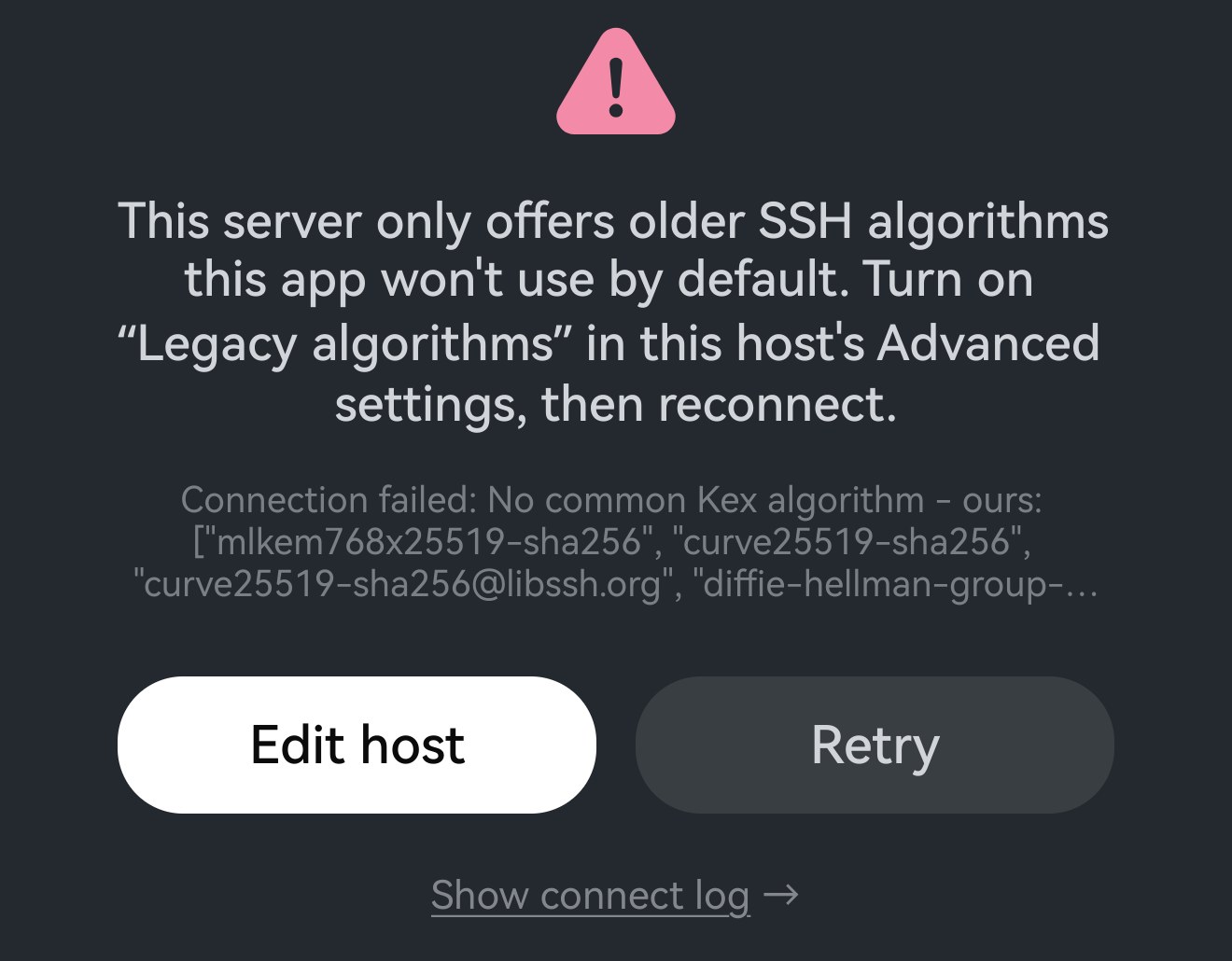
Where the switch is
It is per host, not global: open the host, expand Advanced options, and the row is near the bottom. It is off on every host until you turn it on, and it is offered for SSH and mosh hosts — telnet has no handshake to negotiate.
Turn it on for the one dated box that needs it and nothing else about the app changes.
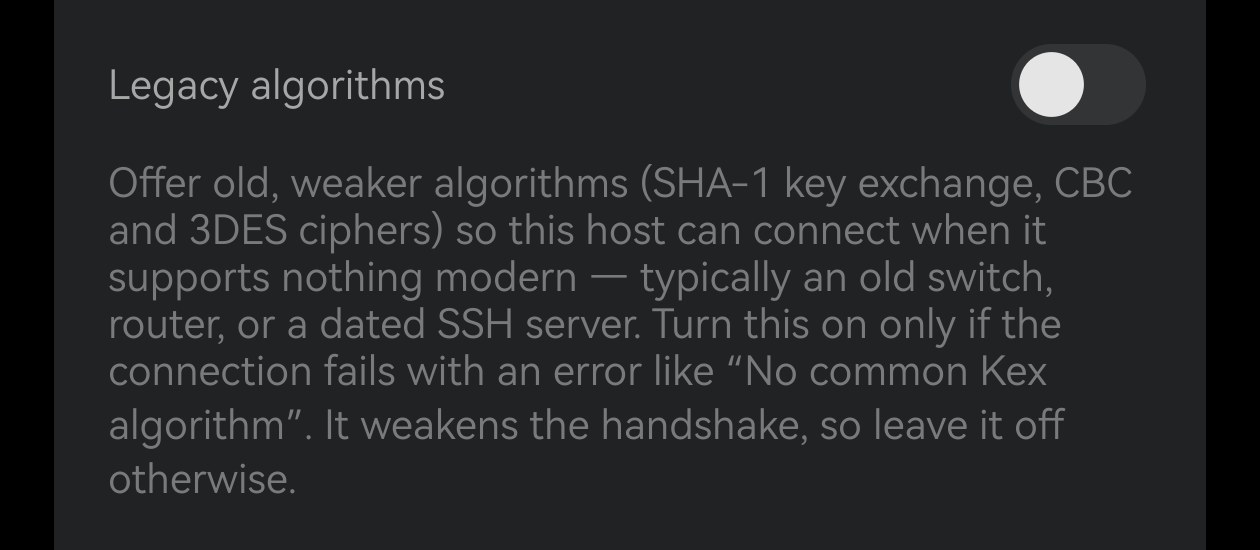
What it adds
With the switch on, Term offers these in addition to the modern set:
- SHA-1 key exchange —
diffie-hellman-group14-sha1,diffie-hellman-group1-sha1,diffie-hellman-group-exchange-sha1. - CBC ciphers —
aes256-cbc,aes192-cbc,aes128-cbc. - 3DES —
3des-cbc. - SHA-1 integrity —
hmac-sha1.
The word that matters is addition. They are appended after the modern algorithms, not in place of them, so the preference order is unchanged: a server that can do curve25519 and AES-GCM still gets curve25519 and AES-GCM. The old algorithms are only ever reached when the server offers nothing better — so turning this on for a capable host costs that host nothing.
Why it is off by default
Because every algorithm in that list is deprecated, and each for its own reason. None of this makes them useless — a connection over them is still far better than telnet — but none of them is what you want when the server can do better.
diffie-hellman-group1-sha1uses a 1024-bit DH group. That is the smallest group still in the specification, and the Logjam work in 2015 showed that groups this size are within reach of an adversary willing to spend real money on precomputation — and that the same precomputation is reusable against every session that shares the group.- SHA-1 is collision-broken. A practical collision was published in 2017. Key exchange is not the worst place to still be using it, but “not the worst place” is a poor reason to keep a broken hash in the handshake.
- CBC ciphers leak plaintext in SSH specifically. The 2008 attack on SSH’s CBC mode recovered bits of plaintext from an intercepted packet; OpenSSH stopped offering CBC by default because of it.
- 3DES has a 64-bit block. Sweet32 turns that into a birthday attack on any connection left open long enough — and a terminal session is exactly the kind of connection that stays open for hours.
hmac-sha1is the mildest of them — HMAC does not fall to a collision the way a signature does — but it is still the weakest integrity check on offer and it is deprecated everywhere else.
So the switch is not hidden because it is dangerous to use; it is off because it should be a deliberate, scoped exception. On for the one switch in a rack that will never be updated, off for everything else — rather than one global setting that quietly weakens every good connection you have in order to rescue one bad one.
When to turn it on — and when not to
Turn it on when the failure says No common Kex algorithm and the far end is something you cannot change: a managed switch, a router’s console, an appliance, a server on a distribution that stopped getting updates years ago.
Do not reach for it as a general fix for a connection that will not open. If the handshake is not the problem — a refused password, an unknown host key, a port that is closed, a network that cannot see the host — this changes nothing, because it only alters what the two ends offer each other during negotiation. Show connect log on the failure card tells you which of those you are actually looking at.
And where you can change the far end, that is the better fix: a server that needs this switch is a server whose SSH is old enough to be worth updating.