Ctrl+V and Ctrl+X belong to your program
In a terminal, Ctrl+V and Ctrl+X are not copy and paste. They are keys, and the program you are running decides what they mean. Term sends them through exactly as a desktop terminal does — from a keyboard, or from ctrl on the key bar — including through herdr and tmux to the program in the pane.
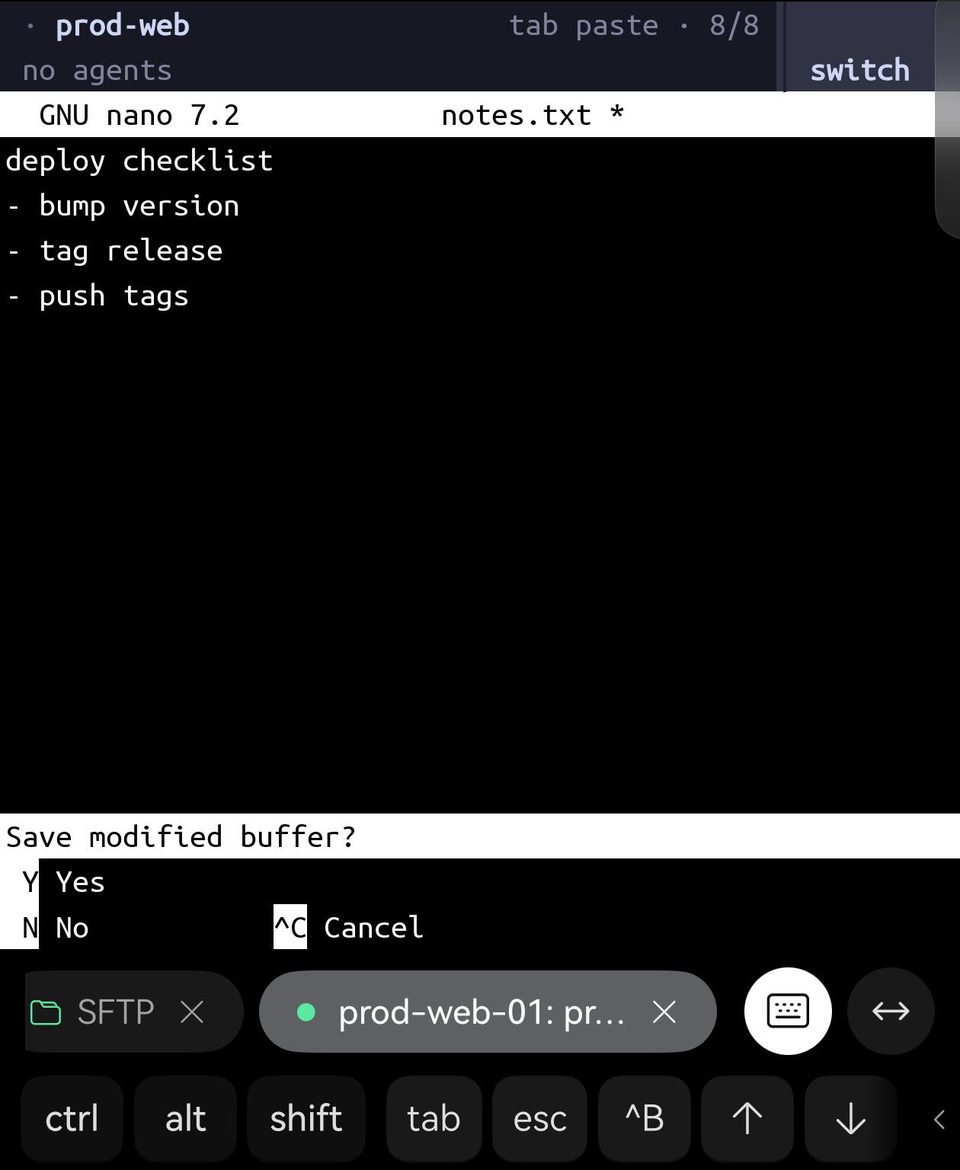
| Program | Ctrl+V | Ctrl+X |
|---|---|---|
| bash and zsh | type the next key literally | start a two-key command (Ctrl+X Ctrl+E edits the line in your editor) |
| vim | block selection | decrease the number under the cursor |
| nano | next page | exit |
| emacs | scroll down | start a two-key command (Ctrl+X Ctrl+S saves) |
| AI coding agents (pi, Claude Code, Codex) | paste an image from the clipboard | — |
A terminal that took Ctrl+V for paste would take it from every row of that table. So Linux terminals put copy and paste on Ctrl+Shift, and Term does too. Ctrl+C stays the interrupt that stops a running command, for the same reason.
Why Ctrl+V does nothing in an AI agent
AI coding agents bind Ctrl+V to "paste an image from the clipboard". They read that clipboard on the computer they run on. Over SSH, that is the server — and your phone's clipboard stays on your phone. A server with no desktop has no clipboard at all, so the agent finds nothing and, quietly, does nothing.
Nothing is broken: the key arrives (we checked, byte for byte, inside herdr). It just asks the wrong computer. Huawei describes the same thing for the terminal on HarmonyOS PCs in Ctrl+V cannot paste in some AI tools — the fix there, as here, is to paste with the terminal's own paste instead.
Text: paste it with any of the ways below. Term sends it marked as a paste, so a program that asks for that — agents do — takes a multi-line prompt as one message instead of sending it line by line.
Images: Term pastes text only. Upload the image to the server from Term's SFTP tab and put its path in the prompt — agents accept a path where they accept a pasted image.
Paste from a keyboard: Ctrl+Shift+V or Shift+Insert
With a keyboard attached, press Ctrl+Shift+V — or Shift+Insert, the paste key from Linux and Windows — and Term shows a Paste button at the cursor. Click it, or tap it, and the text goes in.
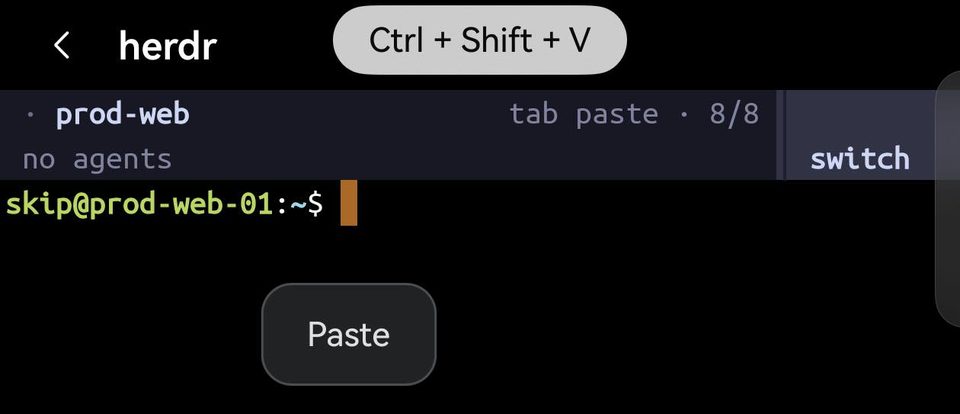
This works inside herdr and tmux too: the keys are Term's, not the program's.
More than one line? Term shows it first, in a Paste sheet where you can read it — and edit it — before it goes to the shell. Once you paste, the shell holds the lines without running them, so nothing happens until you press Enter.

Why a button instead of pasting at once? HarmonyOS lets an app read the clipboard only when you tap the system's own Paste button. Term never sees your clipboard until you do — which also means nothing in a terminal session can read it behind your back.
Paste by touch
Long-press next to the cursor and let go: the same Paste button appears. Long-pressing far from the cursor does nothing, because the text would land at the cursor, not under your finger.
This works inside programs that use the mouse too — herdr, tmux with mouse on, zellij — and at an AI agent's prompt, where the button appears by the input box. Hold still and let go; hold and drag instead, and you move the cursor with the arrow keys.
There is a second way that needs no button at all. Right after you copy something, the HarmonyOS keyboard shows it above the keys, under From clipboard; tap it and it goes in at the cursor.
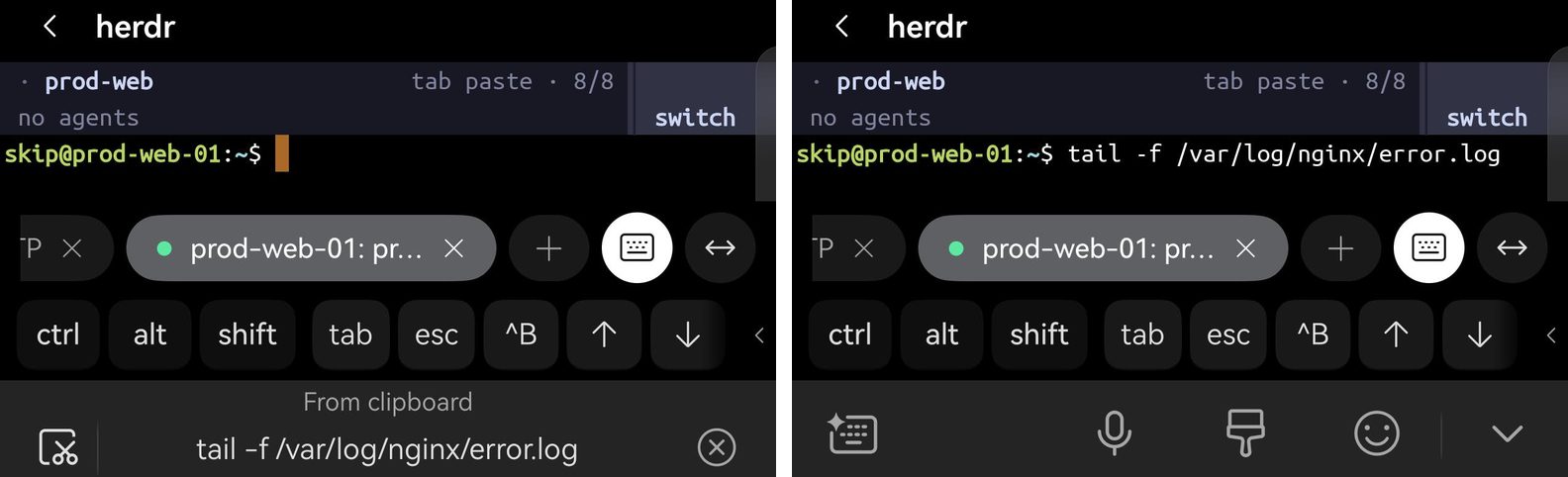
Term treats a multi-line clipboard from the keyboard as a paste as well, the same as its own Paste button.
Copy
Long-press a word, drag the handles to widen the selection, then choose Copy. With a mouse or touchpad, drag across the text instead. With a keyboard, Ctrl+Shift+C copies the selection. With nothing selected it does nothing at all: it never interrupts the way Ctrl+C does.
Inside herdr, tmux and other programs that use the mouse
Programs that track the mouse — herdr, tmux with mouse on, zellij, vim with the mouse on — get every drag, the way a desktop terminal gives it to them. That is what lets you resize a pane by its border or select inside the program itself.
To copy what is on screen anyway, with a keyboard and a mouse or touchpad attached, hold Shift while you drag. Term then selects the text itself, and the program never sees that drag — the same Shift+drag that xterm, iTerm2, Ghostty, kitty and WezTerm use. A plain drag still goes to the program, exactly as before. By touch alone there is no such override yet: a long-press in these programs moves the cursor with the arrow keys instead.
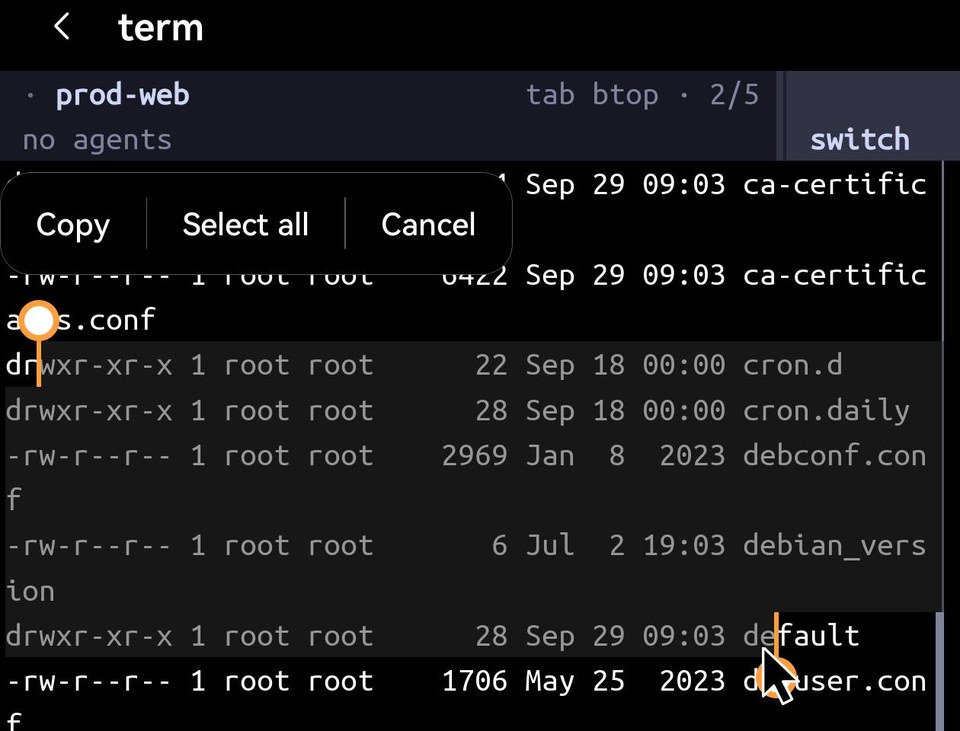
Programs also have their own copy. tmux, for one, copies in its copy mode, and with set-clipboard on it sends the copy to your phone's clipboard over OSC 52 — Term passes it through.
The middle button does not paste
Some terminals paste on a middle-click. In Term the middle button goes to programs that use the mouse, the way a desktop terminal sends it to them. Use Ctrl+Shift+V or Shift+Insert instead.